What a Failed Interview Means Before You Touch Anything
Pairing a Zigbee device in Zigbee2MQTT happens in two stages. First the device joins the network at the radio level, which is why the log can already show a join or an announce message. Then Zigbee2MQTT interviews the device to work out what it is, what endpoints it exposes, and which data points can be exposed to MQTT. A join that is followed by an interview error has passed stage one and failed stage two.
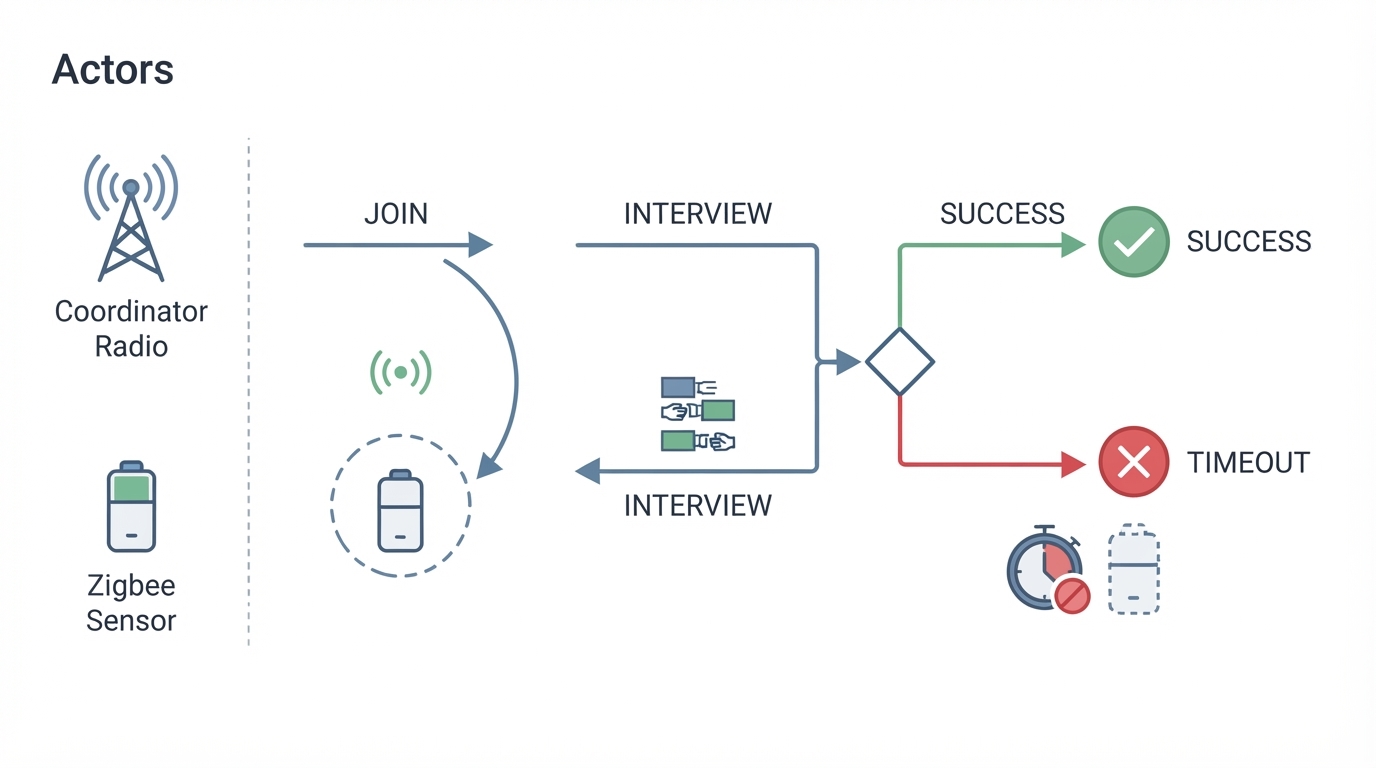
That distinction matters because the device is not "not paired" in the radio sense. It has associated with the network, but Zigbee2MQTT has not learned enough about it to do anything useful, so it does not appear as a working device. Messages such as "Interview failed because can not get active endpoints" describe exactly that: the coordinator asked the device for information during the interview and the answer did not arrive. You may also see the same event described as an interview state of failed; that is a summary of an incomplete interview, not a separate fault.
One thing worth ruling out early: if the log shows a completed interview and an error arrives only afterwards, you are debugging a later stage of setup, and this checklist is not the right one.
Never Joined, Interview Failed, or Dropped Off Later
Three situations get mixed together because they all end with a device that does not work. Separate them first, because the fixes do not overlap.
- The device never joins. There is no join or announce line in the log at all. Start with this site's onboarding troubleshooting guide, then check the official pairing instructions for the exact model.
- The device joins and the interview fails. This is the case this article covers: the join line appears, the interview starts, and it never completes.
- The device worked for weeks and then stopped responding. That is a different symptom unless the logs show a new failed interview. Start with this site's already-paired device guide.
The Diagnostic Order From the Official FAQ
Work top to bottom instead of changing several things at once. The order mirrors the interview-failure section of the official Zigbee2MQTT FAQ, which is the authoritative list for this error.
1. Bring the device close to the coordinator
The interview is a back-and-forth of radio messages, so give it the best possible link for the attempt: bring the device close to the coordinator. If it interviews close and fails at its intended location, investigate the route and interference there before assuming the device is faulty.
2. Remove interference and move the coordinator's USB connection
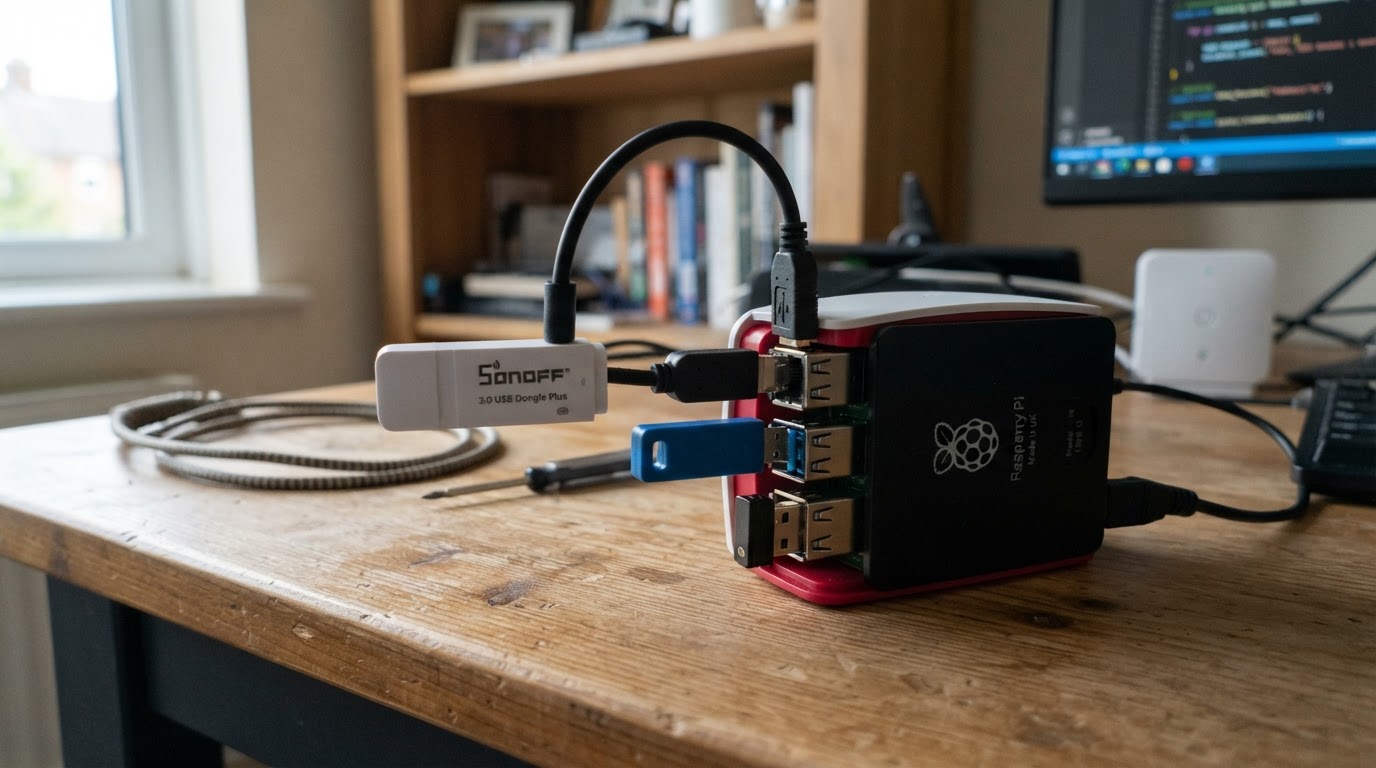
The FAQ points at interference first for a reason. 2.4 GHz traffic and USB 3.0 noise can be strong enough to break the interview while still letting the initial join through. Connecting the coordinator through a USB extension cable moves the radio away from the PC or server chassis, and the FAQ notes this is a common problem with a Raspberry Pi 4.
3. Replace the battery and keep the device awake
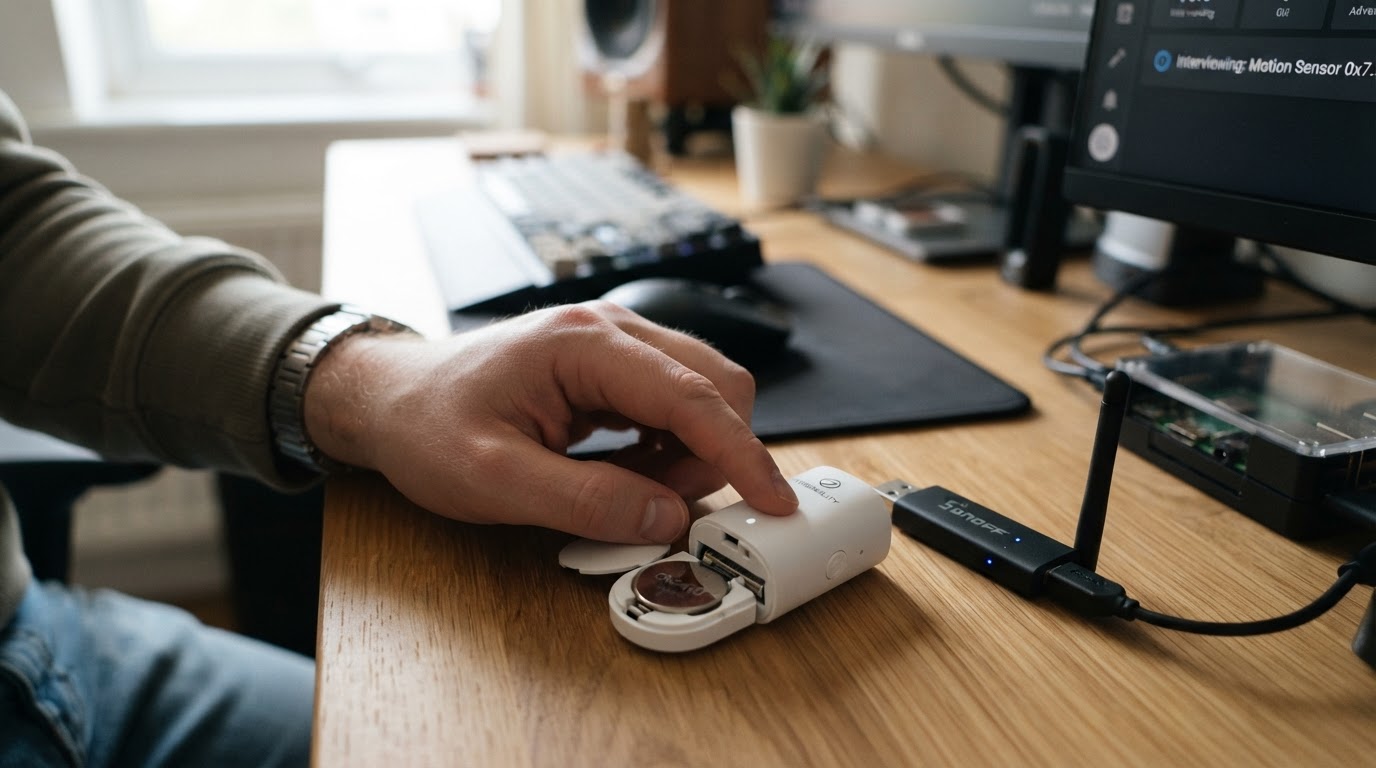
For a battery-powered device, fit a fresh battery before you retry. The FAQ also recommends keeping the device awake during the interview by pressing its button every three seconds if it has one. A sensor that falls asleep halfway through the sequence cannot answer the remaining queries.
4. Retry the pairing two or three times, then stop
The FAQ suggests re-pairing the device two or three times. There is a difference between a retry after fixing a condition and repeating the same attempt: if the third pass fails, stop repeating and move to logs and escalation. More repeats of identical conditions mostly produce identical timeouts.
5. Use the exact model's reset and pairing instructions
Open the device's page in the supported-devices list and follow the pairing instructions for that exact model; if the page has none, the pairing guide says the device can usually be paired by factory resetting it. Resets differ per model: a sequence of short button presses on one device is a long hold on another, and the wrong sequence means the device never enters pairing mode at all.
6. Turn on debug logging before changing anything else
If the interview still fails, stop guessing and capture the event. The FAQ's escalation path assumes debug logging is attached. Zigbee2MQTT can be set to the debug log level in configuration.yaml, and the logging page explains how to keep the complete startup log by disabling log rotation and writing to a file while you reproduce the failure. Debug lines also carry namespace prefixes that tell you which component is speaking, which is the difference between a useful report and a wall of text.
Edge cases worth checking once
The FAQ lists a few cases that do not respond to the standard sequence. If the interview log starts with an all-zero IEEE address, the FAQ flags the CC253X coordinator as possibly broken. If the device is a bulb, the FAQ suggests resetting it through Touchlink. If the device keeps choosing a poor route during pairing, the pairing guide's arrow next to "Permit join (All)" lets you target the coordinator or a specific router instead, though it notes the device may not stay on the router you picked.
Should You Force a Re-Interview or Remove the Device?
Both actions feel decisive and both are weaker tools than they look.
Re-running the interview can help when the first failure was transient: a sleepy device that has now been woken, or a moment of interference that has passed. It does not repair a link that is too weak or a device that keeps missing the query window, because it repeats the same discovery exchange under the same conditions. It is a retry, not a fix.
Removing a device and adding it again is the heavier option. On a device that already works, a remove-and-re-add can cost you its existing configuration, bindings, and friendly name without changing the radio conditions that caused the failure. If you do end up removing it, follow the model's own reset and pairing instructions and pair it close to the coordinator, as in steps 1 through 5. Treat removal as a final step for a device that has never interviewed successfully, not as routine maintenance for one that works.
Decision Table: Match the Symptom, Not the Guess
What you see | What it means | First move |
|---|---|---|
No log line at all while pairing | The device has not joined, so there is no interview to fail yet | Confirm join is permitted, power down other Zigbee networks, then retry close to the coordinator |
"Interview failed because can not get active endpoints" | The join worked; the discovery exchange did not complete | Proximity, USB extension, fresh battery or wake-up, then two or three careful re-pair attempts |
The same interview error after two or three careful retries | Not a transient timing problem | Model-specific reset and pairing instructions, then debug logging and escalation |
A device that worked for weeks and now stays silent | Not an interview failure | Power, battery, routers that were switched off, interference that moved |
Interview starts with an all-zero IEEE address | The FAQ flags a possible CC253X coordinator fault | Treat the coordinator as suspect before reflashing or replacing anything else |
If It Still Fails, Report It With Evidence
The FAQ accepts that an interview failure can be a Zigbee2MQTT bug and asks you to create a new issue with debug logging attached. A report that gets answered quickly contains the reproduction, not the story.
Capture the full debug log from startup through the failed interview, with log rotation off so nothing is missing. Note the exact device model, the reset and pairing steps you used, and the adapter model and firmware. List the conditions you already changed, because "moved it within a metre, used a USB extension, fresh battery, kept it awake, three attempts" tells a maintainer more than any single log line. If your adapter is an older CC253X and the log shows the all-zero address behaviour, say so explicitly.
What a Finished Interview Looks Like
Success is easy to recognise: Zigbee2MQTT logs that it successfully interviewed the device and reports the device as successfully paired, and the model is then known well enough to expose controls. If you only ever see a join followed by an error, the interview never reached that point and the device is not usable yet.
Once an interview succeeds close to the coordinator, pair the device in the spot where it will actually live and confirm it still reports. If it works near the coordinator and fails in place, the device is fine and the route is the problem: continue with the FAQ's network range and stability guidance rather than repeating the reset sequence.