What stop_actions: false changes
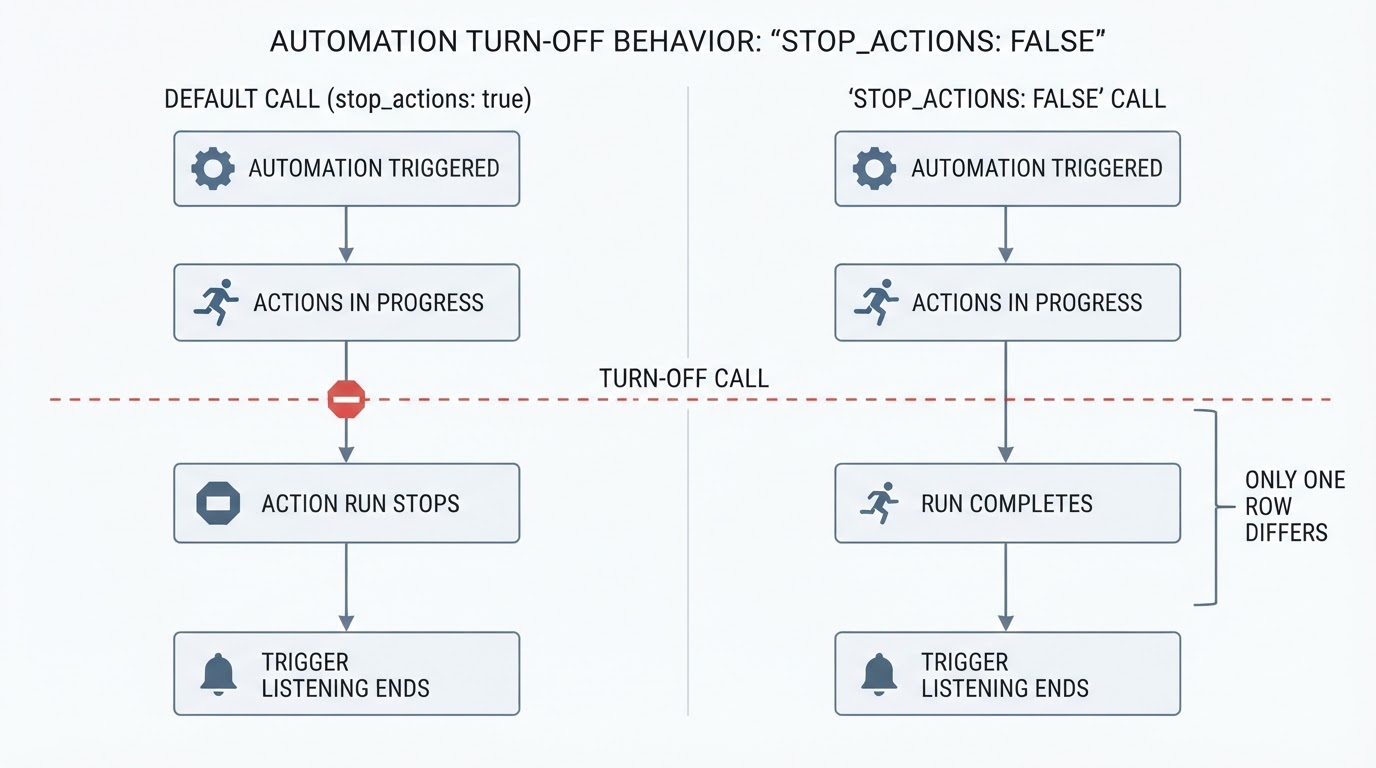
The automation.turn_off action does two things at once, and the flag only touches the second one. It sets the automation entity to off, and while it is off the automation no longer listens for its triggers and does not run. Separately, stop_actions decides what happens to the actions that automation is running at that moment. It is optional and defaults to true, which stops them.
Adding data: {stop_actions: false} skips that second step. The automation still ends up off and future triggers are still ignored, but the work already in flight is allowed to continue.
What you are turning off | Default ( | With |
|---|---|---|
Listening for triggers | Stops | Stops |
Actions running at the time of the call | Stopped mid-run | Allowed to finish |
The two columns differ in one row only, and that row is the whole reason the option exists. An off automation is not therefore idle: the on/off state records whether the automation is enabled, not whether a run is still working through its actions. "Off" and "finished" are separate facts.
The YAML for each choice
Each snippet below calls the action on one explicit entity, automation.example_lighting. They are illustrative placeholders rather than a tested household installation, and the entity ID has to be one that exists in your own system.
The default call disables the automation and stops whatever it is currently running:
- action: automation.turn_off
  target:
    entity_id: automation.example_lighting
The same call, with the run left alone:
- action: automation.turn_off
  target:
    entity_id: automation.example_lighting
  data:
    stop_actions: false
Re-enabling is a separate call, not something the turn-off action schedules for later:
- action: automation.turn_on
  target:
    entity_id: automation.example_lighting
These follow the field names on the Turn off automation and Turn on automation reference pages. The data block is where stop_actions belongs; putting the flag at the same level as target will not work.
A target is required, and an entity is not the only acceptable one. You can also point the action at a device, an area, a floor, or a label, and Home Assistant applies it to every automation entity behind that target. That matters for this flag: if you target an area containing three automations and set stop_actions: false, all three are disabled and all three are allowed to finish their current runs. The actions overview lists turn on, turn off, toggle, and trigger alongside each other, which makes it easy to reach for the wrong one by accident.
Stopping a run is not undoing what already happened
The documented behaviour is blunt: stopping the running actions does not undo what the automation already did. The flag controls whether the remainder of a run is carried out; it does not rewind the actions that already executed.
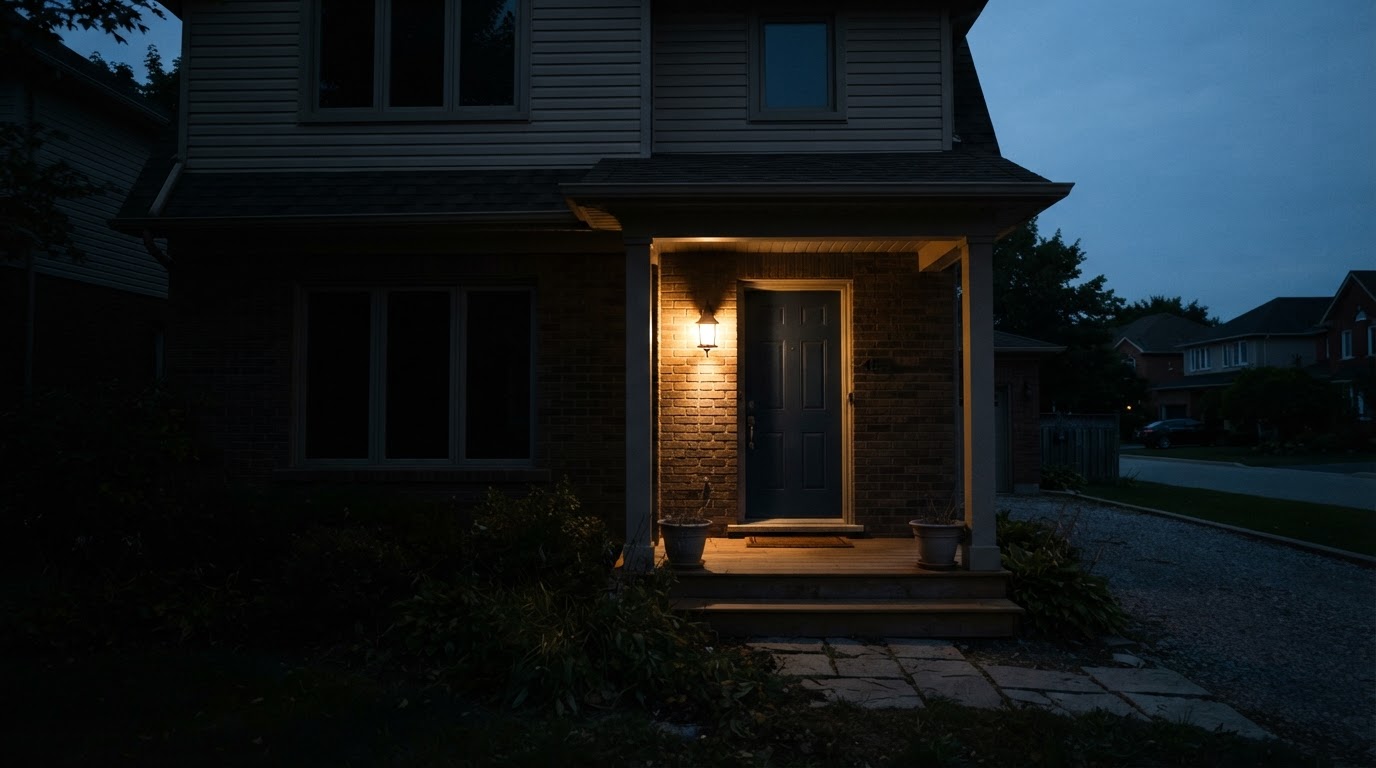
Consider a lighting automation that turns a porch light on at dusk and then waits before turning it off. If you disable that automation with the default setting, the wait is cut short and the later turn-off never arrives. The porch light stays on, because turning it on already happened. Disabling an automation is not a device-off command, and nothing in automation.turn_off reaches out to reverse an earlier light, thermostat, or scene change.
The same mechanism explains the opposite case. With stop_actions: false, a pending light-off inside the run still executes after the automation is disabled, so the light you expected to go out does go out. That is the choice the option offers, and it is the reason not to read "disabled" as "everything from that automation stops immediately".
Re-enabling an automation you switched off
automation.turn_on sets the automation to on, and once it is on the automation listens for its triggers again and runs when they fire. Enabling does not run the routine on the spot; the Turn on automation reference points to automation.trigger when you want the actions to run immediately.
Home Assistant will not put the automation back on by itself after a turn_off. The documentation suggests pairing the off call with automation.turn_on in a second automation when the goal is a temporary pause. A pause built that way is two separate calls: one disables, one restores the enabled state. Neither of them is an instruction to run the routine, and neither reports whether the run you left alone has finished.
What the flag does not cover
A restart or a reload is a separate interruption. stop_actions settles what happens at the moment of the turn-off call, so it has nothing to say about whether a run survives a restart. If a run is being cut short by a restart, or by what the automation mode does when a new run arrives, the delay guide on mode and traces covers that separate problem.
Work that leaves Home Assistant's own action sequence is outside the flag as well. If an action hands a job to something else, such as an independently started script or a timer that lives on a device, this option does not document whether that job continues or is cancelled. Check the specific integration rather than assuming the automation's off state covered it.
Deciding by what the run still has to do
One question settles the choice: what is the rest of this run going to do?
If the pending step is something you still want to happen, stop_actions: false lets it land. A dusk routine that has already turned the porch light on and is waiting to turn it off is the clear case: the light-off is part of the routine, and disabling the automation halfway through is not a reason to skip it. A scene or thermostat sequence that is partway through has the same shape.
If the pending step is something you now want to cancel, keep the default. A delayed light-off that would darken a room you are still using, or a step you would have to undo afterwards, is a reason to stop the run where it is. The default does that at the moment of the call, without leaving a stray action to fire after the automation is off.
Stopping a run affects the actions that were never reached. It does not reach back into a device and reverse a command that already went out, which is why the decision has to be made from the pending steps rather than from the automation's on/off state.
Checking which behaviour you got
Two places settle most of it. Settings > Tools > Actions lets you perform the action against your real entities and shows the message it returns. For a run that already happened, open its trace; the trace records the actions the automation actually reached.
When a run was allowed to finish, the trace continues past the step where the automation was disabled, and the device ends in the state those actions left it in. When the run was stopped, the trace ends where the stop landed. Comparing the trace with what the device actually did is the fastest way to confirm which of the two behaviours you chose.