The short answer: restore is the default
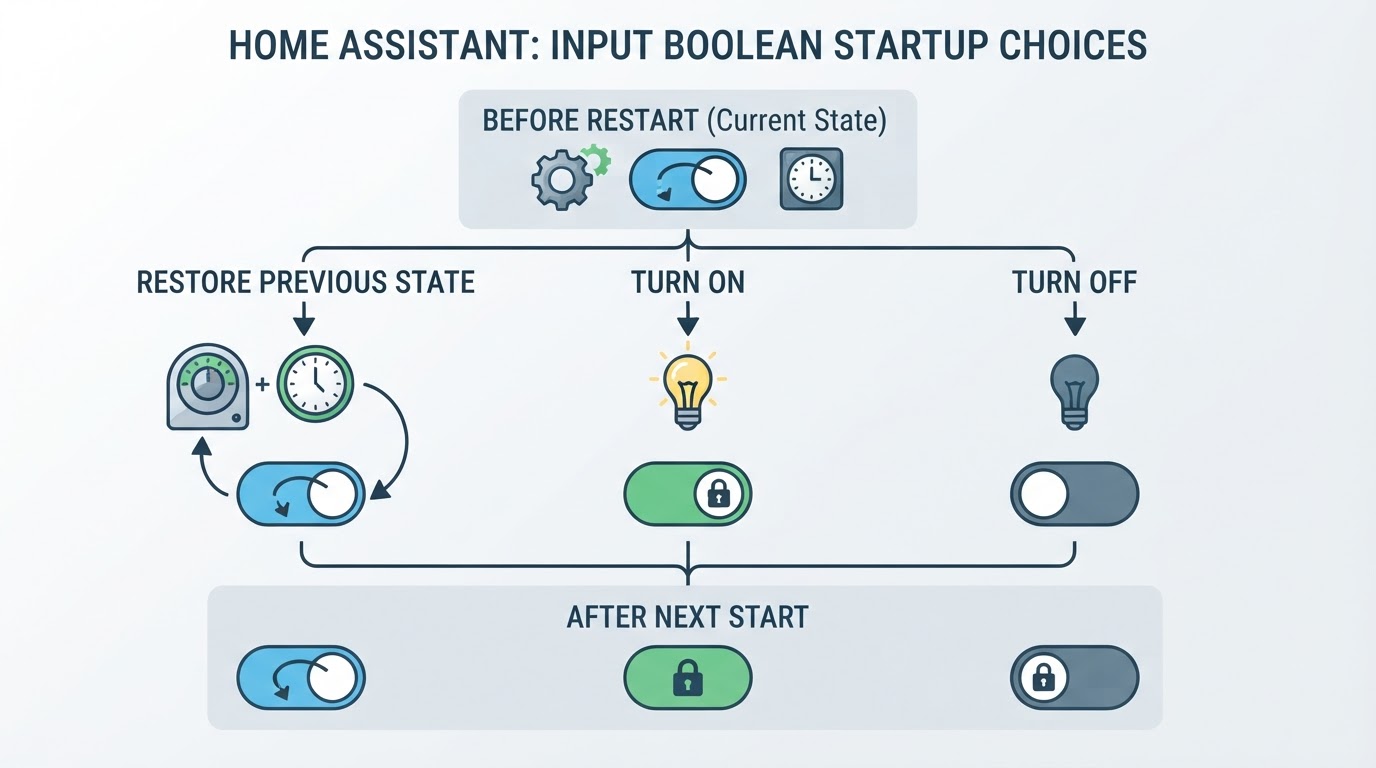
By default, an input_boolean toggle helper restores the state it had before Home Assistant stopped. The Input boolean integration states the default plainly: a previous value is restored if one is available, and if there is no state to restore, the toggle starts as off. Configuration only enters the picture when you want a fixed value at every start, meaning always on or always off.
Two details cause most of the confusion here. The startup option describes the next start, not the present moment, so changing it does not flip the toggle now. It also describes the normal stop-and-start path rather than guaranteeing an outcome for every abnormal stop: after an unclean shutdown there is simply no guarantee that the last value survives, so treat a lost value as possible rather than certain.
Setting the value is a separate action. The dashboard switch, input_boolean.turn_on, input_boolean.turn_off, or input_boolean.toggle changes the current state, while the startup option decides what comes back after the next restart.
Decide first, then configure
Pick the behavior you want, then apply the matching setting.
What you want after a restart | UI setting | YAML |
|---|---|---|
Keep the value it had before the stop | Restore previous state | omit |
Always on, whatever the last value was | Turn on |
|
Always off, whatever the last value was | Turn off |
|
A helper is also the durable place for a value that has to outlive a single run, while an automation variable belongs to one run; the guide to automation variables in Home Assistant covers that boundary.
Set it on an existing toggle helper
- Open Settings > Devices & services > Helpers and select the toggle helper.
- Select Settings, then expand More options.
- Under Each time Home Assistant starts, choose Restore previous state, Turn on, or Turn off.
- Save the helper, then leave its current state alone unless you also want to change that now.
Every option applies at the next start. Saving the change does not alter the toggle's current state, which is why a restart is the most reliable way to observe the new behavior. Changing the helper's state on its own does not exercise initialization, so a toggle that sits where you left it says little about what the next start will bring back.
YAML: omit initial to restore, set it to pin a state
These are separate examples, not one block to paste together. To restore the last value, omit initial entirely:
input_boolean:
  guest_mode:
    name: Guest mode
    icon: mdi:account-multiple
The alternative that always starts off adds initial explicitly:
input_boolean:
  guest_mode:
    name: Guest mode
    icon: mdi:account-multiple
    initial: false
The difference between the two blocks is that one line, and it changes the outcome: leaving initial out restores the previous value, while initial: false starts the helper off at every start even if it was on a moment before. initial: true pins it on in the same way. Reloading input booleans from YAML with input_boolean.reload applies configuration changes, but reloading configuration is not equivalent to a full Home Assistant restart, so verify persistence with an actual restart of Home Assistant Core.
restore: true belongs to the timer, not to input_boolean
Timers have a restore option that keeps active and paused countdowns across a start or restart, as the Timer integration documents. An input_boolean has no such key: its startup behavior is the helper option above or initial. Adding restore: true to a boolean block is a configuration mistake, and the timer restore walkthrough explains what that option actually does for a countdown.
Restart check with an isolated test helper
This check restarts Home Assistant Core, so it affects the whole installation. Automations, scripts, and anything else that depends on startup can fire or be interrupted while it happens, so pick a quiet maintenance window when a missed run or a dropped device state will not matter.
What the test helper isolates is the toggle itself, not the restart. A separate entity keeps a wrong result away from the physical devices your real automations control; it does not make the restart any narrower.
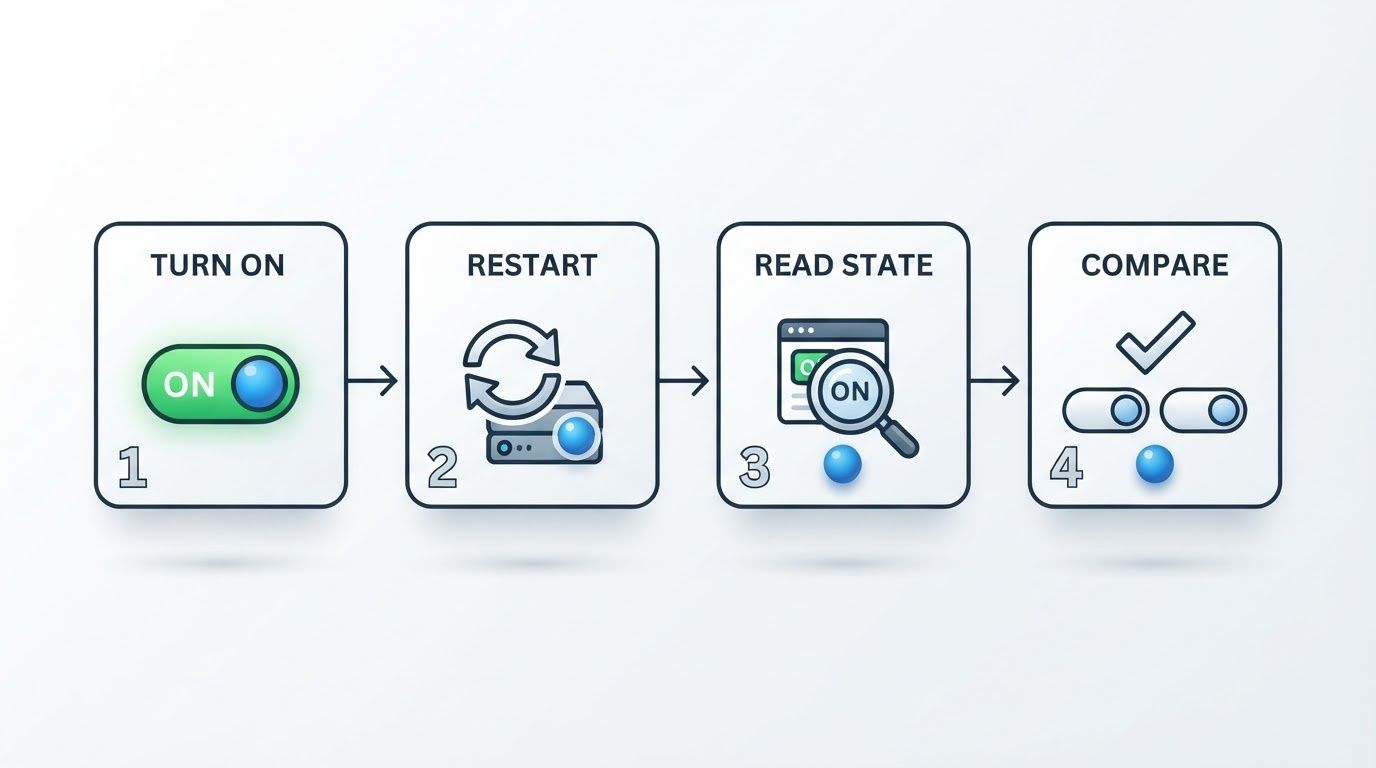
- Create a toggle helper for testing, leave its startup option at Restore previous state, and note its entity ID.
- Turn it on, then read the state under Developer tools > States.
- Restart Home Assistant Core from Settings > System during that maintenance window. This is a real restart of the whole installation, not a host reboot and not a YAML reload.
- After startup, read the same entity again and check its history. For this run, the expected result is that it is on. If it is off, possible causes include a startup option other than restore, an automation or script that set the helper after startup, no saved value being available, or a saved value lost during an unclean stop; that single result does not settle which one applies.
For a pinned state, repeat the check after choosing Turn off or setting initial: false. The helper should be off at each start even though it was on beforehand; one passing restart confirms the setting for that run, and durability is something you confirm by watching later starts rather than from a single test.
When the value still does not return
Treat restore as best effort rather than a guarantee. After an abnormal shutdown there is no guarantee that anything usable survives to restore, in which case the helper may come back off, and normal restoration can also be superseded, so an off result after a restart does not prove that an outage caused it and an outage does not guarantee off. Before editing configuration on that evidence, read the entity history and look for an automation or script that runs on Home Assistant start, because a startup action can set the helper after its stored value is restored.