What the offset shifts
A calendar trigger commits to one edge of the event with event: start or event: end, then shifts the moment it fires with offset. The Calendar integration documentation describes offset as an optional time to fire a set time before or after the event start or end, and its own example uses -00:15:00 to fire fifteen minutes before the event starts.
The sign and the edge are two separate choices, which is where most confusion starts:
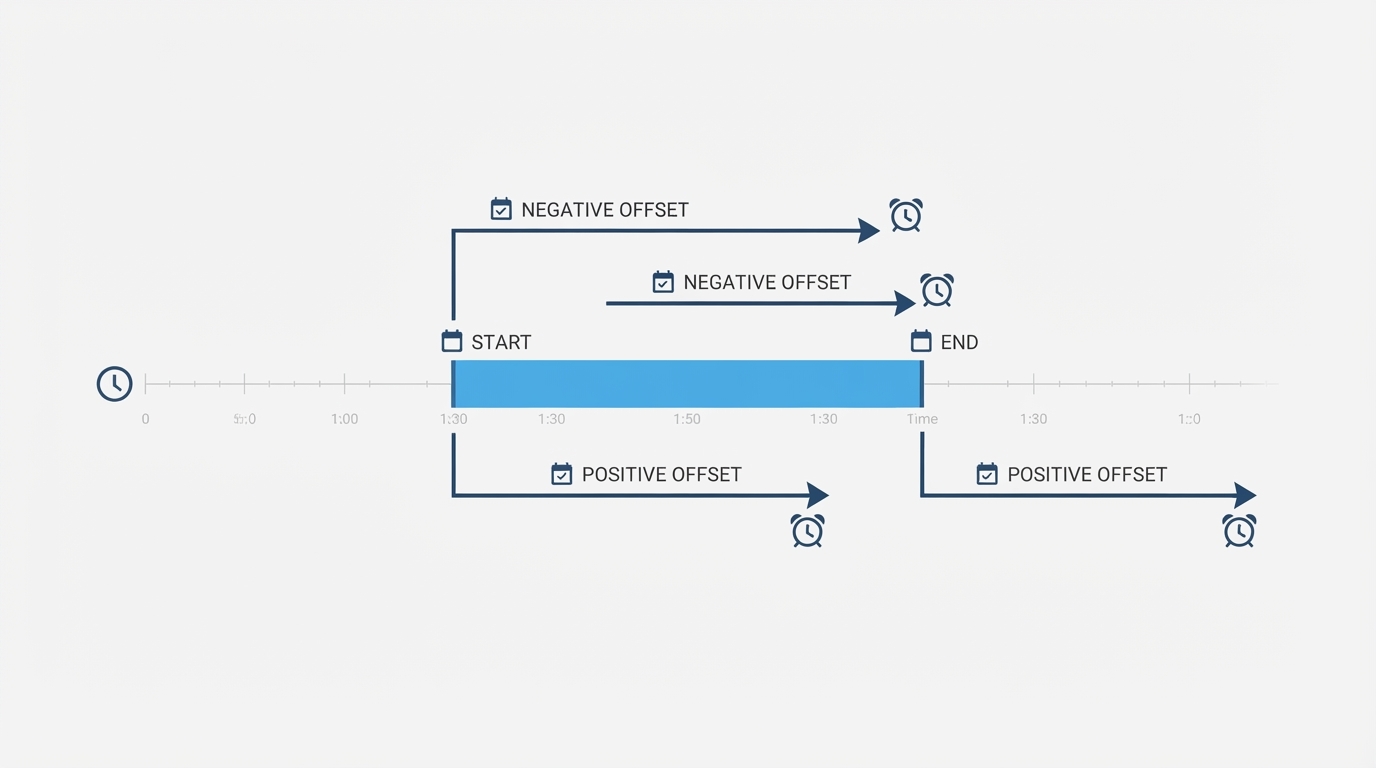
Edge | Offset | Fires |
|---|---|---|
|
| 15 minutes before the event starts |
|
| 30 minutes after the event starts |
|
| 15 minutes before the event ends |
|
| 10 minutes after the event ends |
The trigger still reports the event itself, so a fire that happens early carries the event's real start time. A notification that reads "starts at 09:00" and arrives at 08:45 is working exactly as configured.
A complete automation for the YAML editor
Paste the block below into an automation's Edit in YAML view. It is a single automation, so it starts at alias: and has no automation: wrapper.
alias: "Calendar errand reminder"
description: "Notify 15 minutes before a calendar event starts."
mode: queued
triggers:
  - trigger: calendar
    event: start
    entity_id: calendar.personal
    offset: -00:15:00
actions:
  - action: persistent_notification.create
    data:
      title: "Soon: {{ trigger.calendar_event.summary }}"
      message: >-
        Starts at {{ trigger.calendar_event.start }}.
        This reminder fired 15 minutes early.
Two values are yours to replace: calendar.personal, the calendar entity the trigger watches, and the notification text. persistent_notification.create writes a dismissible message inside Home Assistant instead of touching a device, making it a safe action to verify with.
mode: queued follows the Calendar documentation's advice for calendar triggers: the docs say not to use mode single generally and to use queued or parallel instead. That advice is about handling overlapping runs in general, not a guarantee that every simultaneous event will run: queue and concurrency limits still apply, and a burst of overlapping events can be cut short.
All-day events and time zones
The trigger data reference lists what the automation receives, including trigger.calendar_event.summary, .start, .end, .all_day, and trigger.offset. Two of those decide whether an offset lands where you expect it.
For an all-day event, .all_day is true, .start is a date such as 2026-10-17, and .end is the day after the last day of the event. That end date is exclusive: a one-day event on October 17 ends at 2026-10-18. Because both values are dates without clock times, an offset is measured from a date boundary rather than from a time you picked, so do not assume a specific hour it will land on. If the exact behavior matters for your integration and time zone, schedule a future timed test and read the trace.
For timed events, .start and .end are ISO 8601 strings such as 2026-10-17T11:30:00-07:00, and the time zone in those values comes from the calendar integration. Compare that offset suffix with your instance's time zone before deciding the automation fired late: a calendar that supplies another zone can look shifted while your offset is exactly what you wrote.
Test the trigger, not the actions
- Calendars are read once every 15 minutes, and the documentation warns that an event less than 15 minutes away may not fire. With an offset in place, choose a test event far enough ahead that the moment you targeted is still in the future when the next read happens.
- Run actions is not a trigger test. It runs the action list with no trigger involved, so the trigger-dependent templates above receive no calendar event:
trigger.platformisNone, and templates that use other trigger properties fail. A manual run therefore does not prove this automation will deliver its notification, and the same YAML may fail or produce an empty message until a real trigger supplies the event data. - Use a real future event, for example a calendar entry a day ahead, then open the automation's trace, select the trigger, and read the changed variables: the event summary, its start and end, the all-day flag, and the offset that matched.
The check is done when you have one trace from a real event showing the offset you meant and the action you expected.
When a schedule helper fits better
A calendar trigger is event-driven: it reacts to what is in the calendar, not to a weekly pattern you drew by hand. If the source of truth is a schedule helper instead, the boundary rules differ, and touching blocks keep the entity on so a plain state trigger skips the second block. The schedule helper guide sets out which trigger matches which boundary, and it is the better starting point when the answer to "what starts this automation" is a recurring block rather than a real appointment.