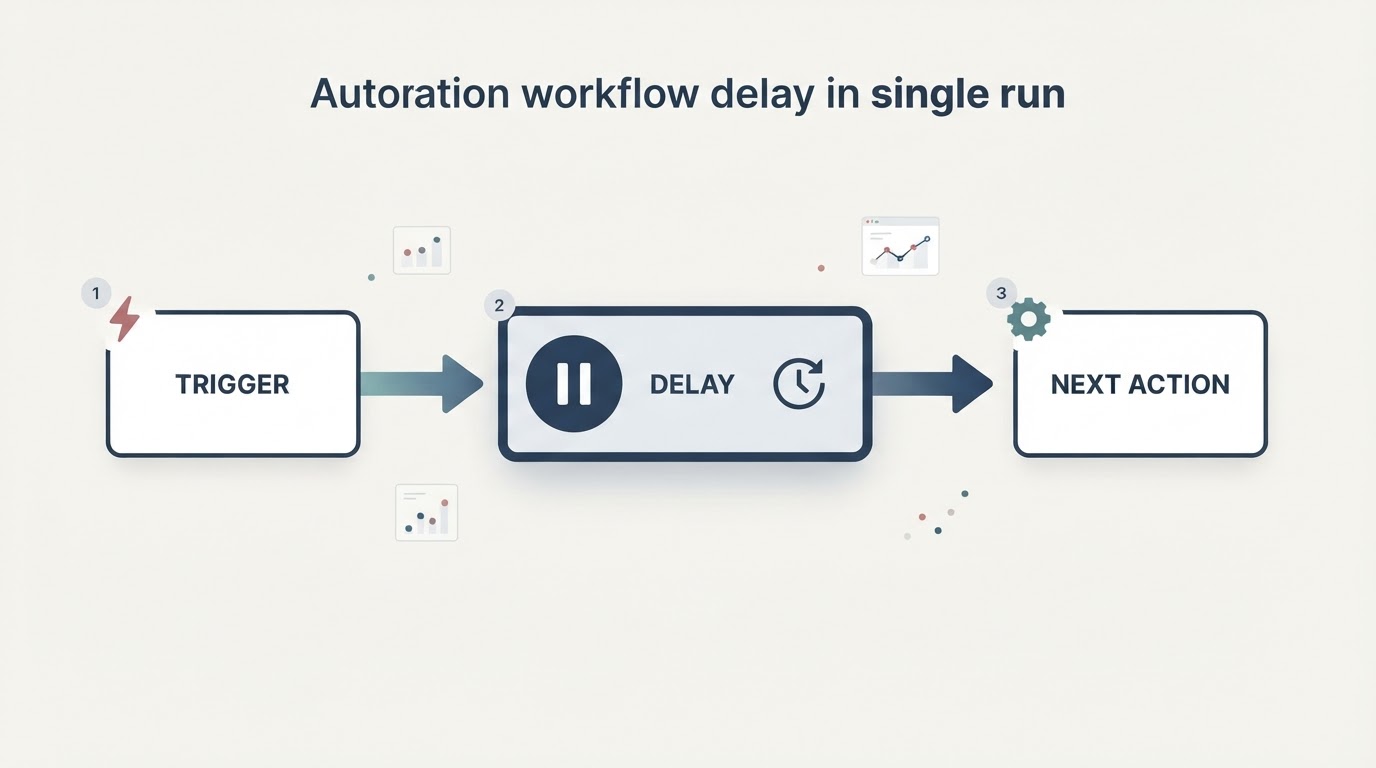
What a delay action actually does
A delay suspends the running sequence, so every action after it waits until the timer inside that run expires. It is a pause between actions in one run, not a schedule. Script syntax defines the accepted forms:
actions:
  - action: light.turn_on
    target:
      entity_id: light.hallway
  - delay: "00:02:30"
  - action: notify.notify
    data:
      message: "Hallway light still on"
All forms accept templates, and a mapping needs at least one unit (milliseconds, seconds, minutes, hours, days). Milliseconds are treated as at least that long, so a 250 ms delay is not an exact 250 ms. Two consequences matter: the run stays in progress while it waits, and anything that ends the run also discards the wait.
Check the mode before you edit the YAML
When the trigger fires again while a run is waiting, the mode decides what happens. Automation modes defines four options:
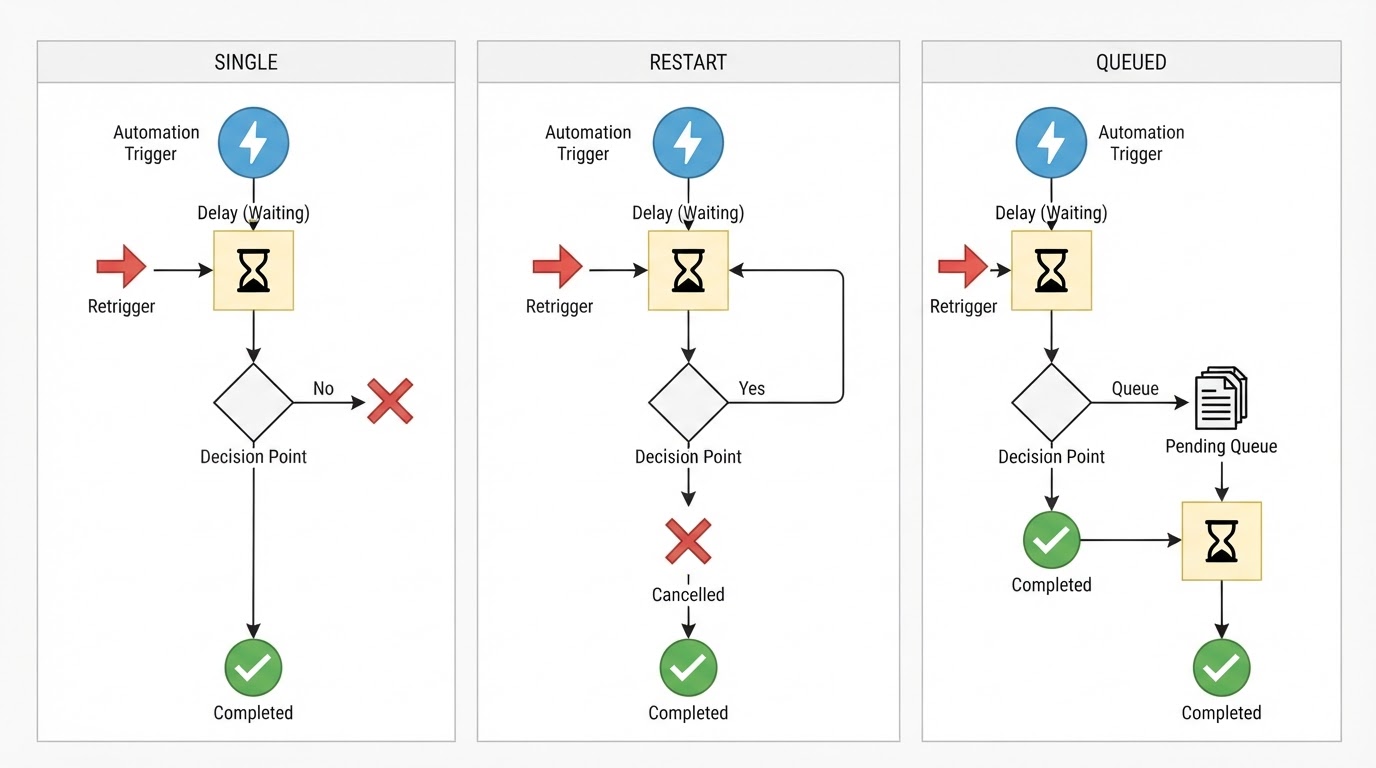
Mode | Behavior on a new trigger | Symptom when it is wrong |
|---|---|---|
| The new run does not start; a warning is logged. | The automation works once, then ignores later triggers. |
| The previous run is stopped first; the new run starts only if conditions are met. | Later actions never run; the waiting run was cancelled. |
| The new run starts after previous runs complete, in order. | Notifications or actions arrive late and bunched up. |
| A second, independent run starts immediately. | Two sequences overlap and compete for the same device. |
queued and parallel also accept max (default 10). When it is exceeded, the severity of the log message is controlled by max_exceeded.
A practical starting point when you add a delay to an automation:
- id: hallway_motion_notify
  mode: restart
  triggers:
    - trigger: state
      entity_id: binary_sensor.hallway_motion
      to: "on"
  actions:
    - delay:
        minutes: 2
    - action: notify.notify
      data:
        message: "Motion in the hallway"
Here a new off→on transition while a previous run is waiting cancels that run and starts a fresh two-minute countdown. That means "two minutes after the latest motion-on transition," not "two minutes after motion stops." If you need the latter, use a motion-clear state trigger with an appropriate for period or a timer helper. If every motion event needs its own notification, consider queued only after accounting for potentially late messages.
Read the trace to see what happened to the delay
Every automation run records a trace: which trigger started it, whether conditions passed, what each action did, and how the run ended. Home Assistant keeps the last five traces per automation, and YAML automations need an id before traces appear at all. Open a trace from Settings > Automations & scenes, or from an Activity entry with View trace. The graph shows each step, including Wait for time to pass (delay), and the trace list shows how a run ended, such as "Stopped because a condition failed". You can store more runs in YAML:
trace:
  stored_traces: 20
Two checks pay off. First, compare a run that worked with one that did not: a cancelled run usually ends at the same moment the next trigger starts. Second, use Run actions to test the whole sequence without waiting for a real trigger, which confirms the delay and everything after it works in isolation. Testing and troubleshooting automations walks through both.
Decision table: symptom to first check
What you see | Most likely cause | Where to look first |
|---|---|---|
The automation fires once, then ignores new triggers while waiting |
| The first run's trace, warning log and automation mode |
Actions after the delay never run | A retrigger under | The trace list: two runs close together, the first cut short |
The delay itself seems to be skipped | A reload or restart ended the run mid-wait | The trace timeline and anything you reloaded |
Notifications arrive late or bunched up |
| The mode and the expected volume of triggers |
A timer-based wait never fires after a reboot | The timer finished while Home Assistant was off | The timer state after startup and the limitation below |
The pause ends far too early | The value was templated or a unit was misread | Step details for the rendered template value |
Reloads, restarts, and when a timer is the better tool
A delay is not persisted. Reloading automations or restarting Home Assistant ends an in-flight run, so a long pause is the wrong place to hold work that must happen even when the system restarts.
The timer integration exists for that case. With restore enabled, active and paused timers are restored after a start or restart, but there is a documented limitation: if a timer finishes while Home Assistant is not running, automations that use the Timer finished trigger do not run after startup (Timer documentation). When the missed completion matters, plan for it explicitly instead of assuming the event will replay.
FAQ
Does a Home Assistant automation delay survive a restart?
No. Reloading automations or restarting Home Assistant ends the run that was waiting, and the delay does not resume. Use a timer helper with restore when the wait itself must be tracked across restarts, then handle the missed-finish limitation above.
Why is my automation delay not working after a trigger?
Check the mode first. Under the default single, a retrigger during the wait does not start a new run, but the original run should still reach its later action. Under restart, the previous run and its pending delay are cancelled when a new qualifying run starts. The traces help distinguish these cases.
Is a delay the same as a periodic trigger?
No. A delay pauses one run after its trigger. A repeating schedule is a separate trigger question: a time-based trigger fires on its own rhythm, while the automation mode decides what happens if an earlier run is still waiting. If you want something to happen on a schedule, see this site's separate every-five-minutes trigger guide rather than using an action delay.
How you know it is fixed
Treat the repair as complete when all four checks pass:
- The trace shows the run reaching the delay step and continuing to the next action.
- Retriggering produces exactly the behavior the chosen mode promises.
- Any run cut short by
restartmatches the behavior you deliberately chose; undersingle, the original run continues while the retrigger is ignored. - After a restart nothing is left waiting, and any timer-based replacement still matches your expectation.