What a Zigbee hub actually does
The word "hub" hides three jobs that once shipped in a single box: a radio that forms the network, a bridge that passes messages between that radio and your home network, and an app that runs the automations. Home Assistant already does the third job, so the part you actually need is the first two.
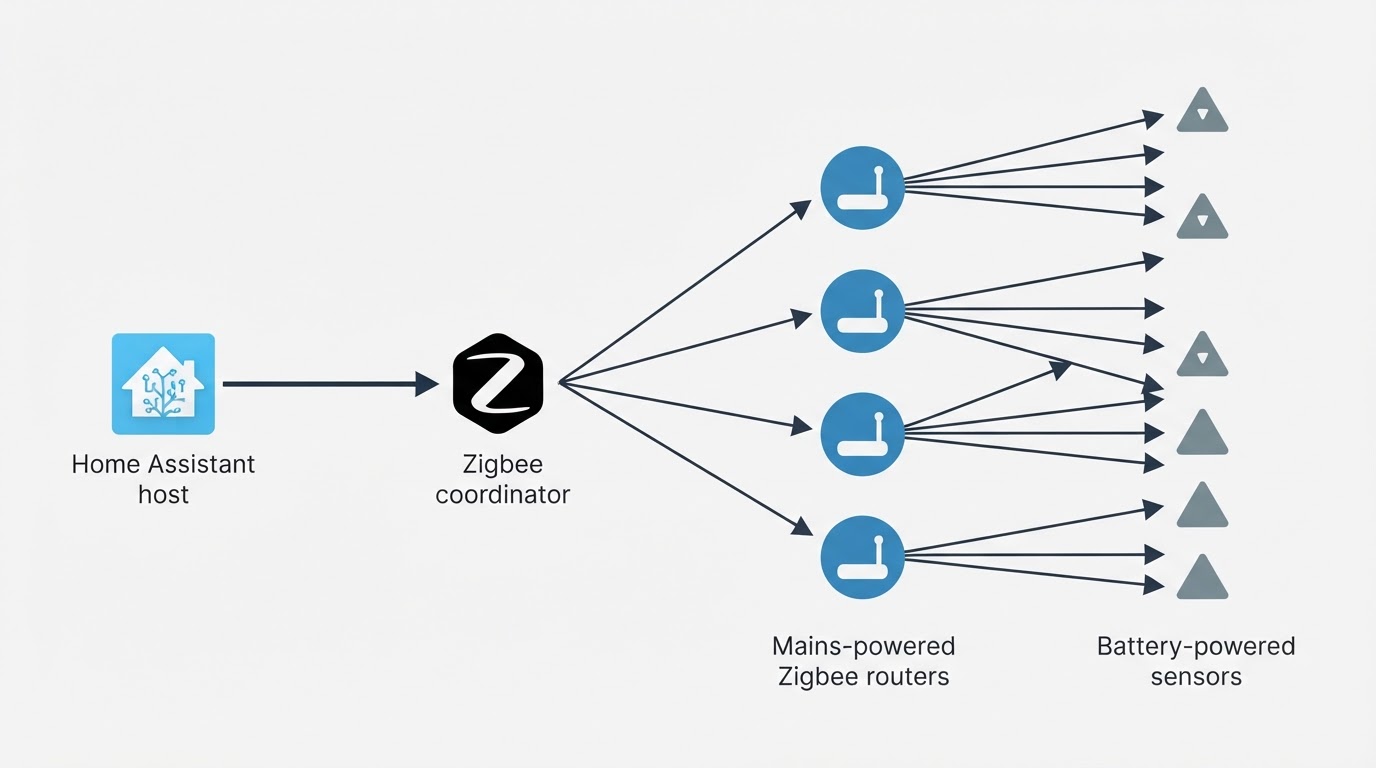
Inside Zigbee, the device that owns the network is called the coordinator. There is exactly one per network. It picks the radio channel, holds the network key and decides which devices may join. Mains-powered devices — smart plugs, bulbs, in-wall modules — then act as routers, relaying messages for the battery-powered sensors that cannot reach the coordinator directly. The coordinator is the hub of the mesh in the literal sense: remove it and the network stops, not just the connection to the internet.
This is why "hub" and "coordinator" are used interchangeably in Home Assistant circles, while "gateway" and "bridge" usually describe the same hardware under a different label. The distinction that matters when buying is openness: a vendor hub built for one brand's app may only serve that app, while a coordinator designed to work with the software you already run drops into an existing Home Assistant setup. Check which integrations support a specific zigbee hub before you order, not after it arrives.
How a Zigbee hub fits into Home Assistant
Home Assistant is the automation layer. It runs on a mini-PC, a small home server or a virtual machine, and the machine itself has no Zigbee radio. The coordinator supplies that radio; Home Assistant supplies the logic, the dashboards and the history.
There are two common software paths, and both expect a coordinator attached to the host:
- ZHA is the Zigbee integration built into Home Assistant. It keeps radio and automation in one place, which makes it the simpler starting point.
- Zigbee2MQTT is a separate application that talks to the coordinator and publishes each device over MQTT. It is the usual choice when you want tighter control over pairing behaviour and firmware management.
Which one you pick changes the software, not the hardware question. Either way the flow is the same: a sensor reports to the coordinator, Home Assistant decides what to do, and the device receives the command. Because that chain lives inside your house, automations keep running when the internet is down or a vendor's cloud service is unavailable.
The alternative — a consumer hub that bundles radio, app and cloud account — puts a third party in the middle of that chain. It can be the right answer for a small, simple setup, but it is a different product category from a coordinator you own and control. Decide which one you are buying before you compare prices.
Layer | What it does | Where it runs |
|---|---|---|
Coordinator | Forms the Zigbee network, holds the keys, sends and receives radio traffic | USB stick or network-connected box near your server |
Integration (ZHA or Zigbee2MQTT) | Turns radio traffic into entities and services | Your Home Assistant host |
Automations and dashboards | Decides what happens when a sensor changes | Your Home Assistant host |
What to compare before you buy
Most coordinator disappointments trace back to a purchase decision made on the headline number and a placement problem discovered a week later. Compare in this order instead.
What to compare | Why it matters | What good looks like |
|---|---|---|
Connection type | A USB stick is cheap and simple but inherits the server's location; a network-connected coordinator can sit where the devices are | Choose based on where the radio needs to live, then pick the connection |
Placement and interference | Metal racks, the server's own Wi-Fi and USB 3.0 ports all add noise on the 2.4 GHz band | A short USB extension cable, or a networked unit placed away from the host |
Radio chipset and firmware | The chipset decides which firmware and driver family the coordinator can run, and how long it stays supported | A model on the supported hardware list of your chosen integration, with firmware you can update |
Network size and router ratio | At a few dozen devices, steady rejoins and route churn matter more than peak link speed; battery sensors still depend on mains-powered routers | Enough mains-powered devices to hold the mesh together, and a coordinator that stays stable under that load |
Local operation | Some hubs need an account and a cloud service to work | Devices pair and run without a vendor login |
Backup and migration path | Coordinators fail, hosts get rebuilt, and networks outgrow their first radio | A documented way to back up and restore the network, so a swap does not mean re-pairing every device by hand |
Power-cycle recovery | A power cut should not erase the network | The mesh comes back by itself once the coordinator is powered again |
Price belongs on the list, but it is the wrong place to start. A coordinator that needs replacing every eighteen months because it sits in a noisy closet costs more than a boring one that stays on a USB extension cable.
Commissioning without a lost weekend
Commissioning is where a good plan meets a real house. These steps assume Home Assistant is already running and the coordinator appears on your integration's supported list.
- Back up before you touch anything. Export a full Home Assistant backup and save the coordinator's network settings if your setup supports it. That file is the difference between an hour of work and an evening of re-pairing.
- Move the radio away from the host. Use a short USB extension cable, or place a networked coordinator on the other side of the room. Keep it clear of the metal case, USB 3.0 ports and Wi-Fi antennas.
- Build the mesh from the middle out. Join mains-powered routers first — plugs, bulbs, in-wall modules — then add battery-powered sensors through them. Pairing the sensors first gives you a network with no backbone.
- Work in batches and check as you go. After each batch, confirm that the devices respond and that the network has not slowed down. A problem that appears after ten devices is easier to find than one that appears after forty.
- Test the edges of the house. Walk to the far corners and confirm the sensors there report. If one does not, add a mains-powered router between it and the coordinator before you blame the radio.
- Leave it alone for a day, then look again. Re-check device availability after 24 hours and after a restart. Stability over time is the only real commissioning test.
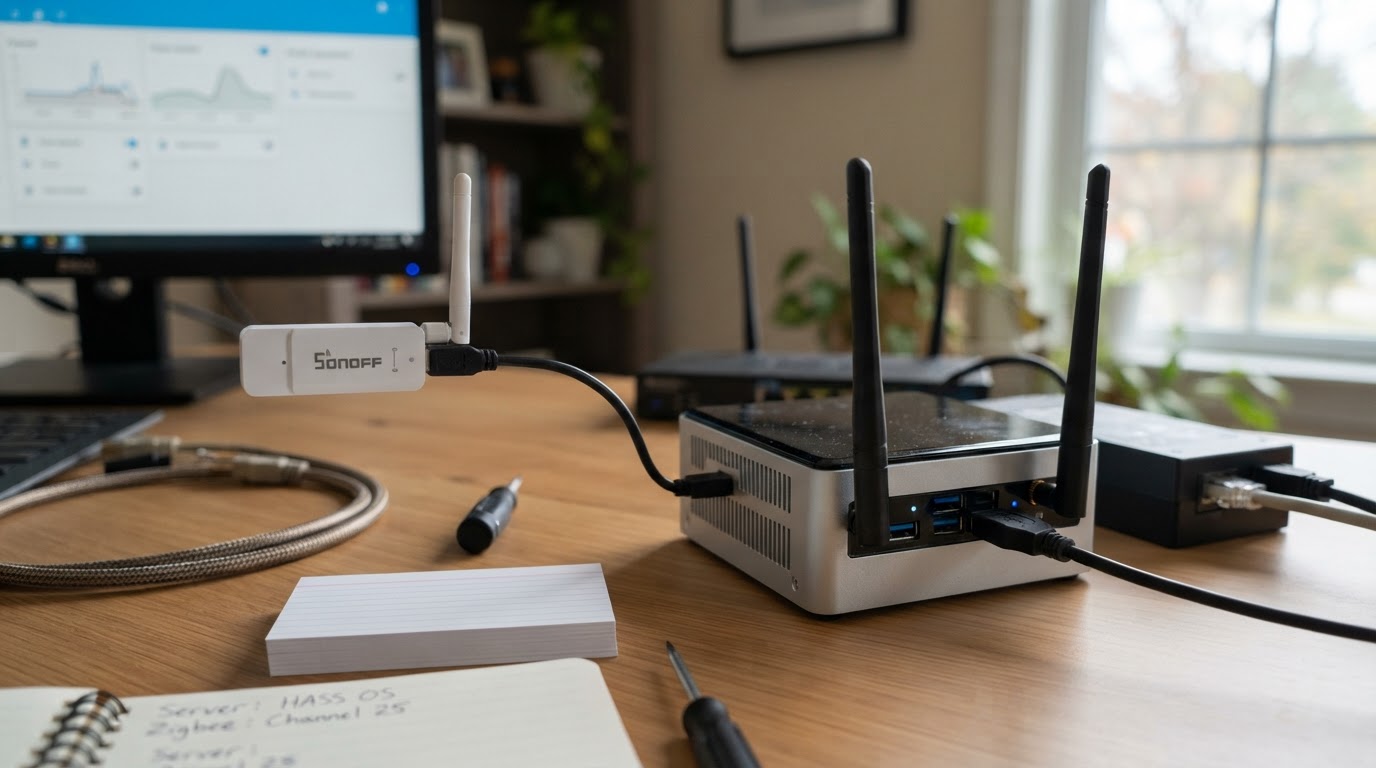
A finished run looks boring: entities respond quickly, nothing drops overnight, and restarting Home Assistant brings everything back without a re-pair.
The mistakes that cost the most
The pattern behind most coordinator problems is treating the radio as an afterthought.
- Buying the box before deciding where it goes. The best radio in a metal cabinet still performs like a radio in a metal cabinet.
- Assuming every hub is an open coordinator. Closed vendor hubs can be perfectly good products and completely the wrong purchase for a Home Assistant setup.
- Migrating without a backup. A coordinator swap with no saved network state turns a hardware change into a manual rebuild of every device.
- Expecting the coordinator to fix a sparse mesh. Battery sensors get their range from mains-powered routers, not from a stronger coordinator.
- Chasing the newest chipset before checking support. Hardware support in Home Assistant and Zigbee2MQTT moves, and a supported older chipset beats an unsupported newer one.
Placement is the cheapest upgrade available. Moving the radio a metre away from the server, onto an extension cable, routinely does more for stability than spending more on a stronger model.
The short version
One coordinator per network. Home Assistant stays the brain. When you choose the zigbee hub, decide placement first, then connection type, then confirm that the chipset is supported by the software you run. Check that the network can be backed up and restored, and that it keeps working without a cloud account. Buy for the network you will have in a year, not the one you have today — and if a device still drops, add a router before you replace the radio.
Official setup and migration references
Home Assistant ZHA: supported hardware, backups and migration
Zigbee2MQTT: migration between adapters and re-pairing conditions