Coordinator, gateway, hub, bridge: the labels are not interchangeable
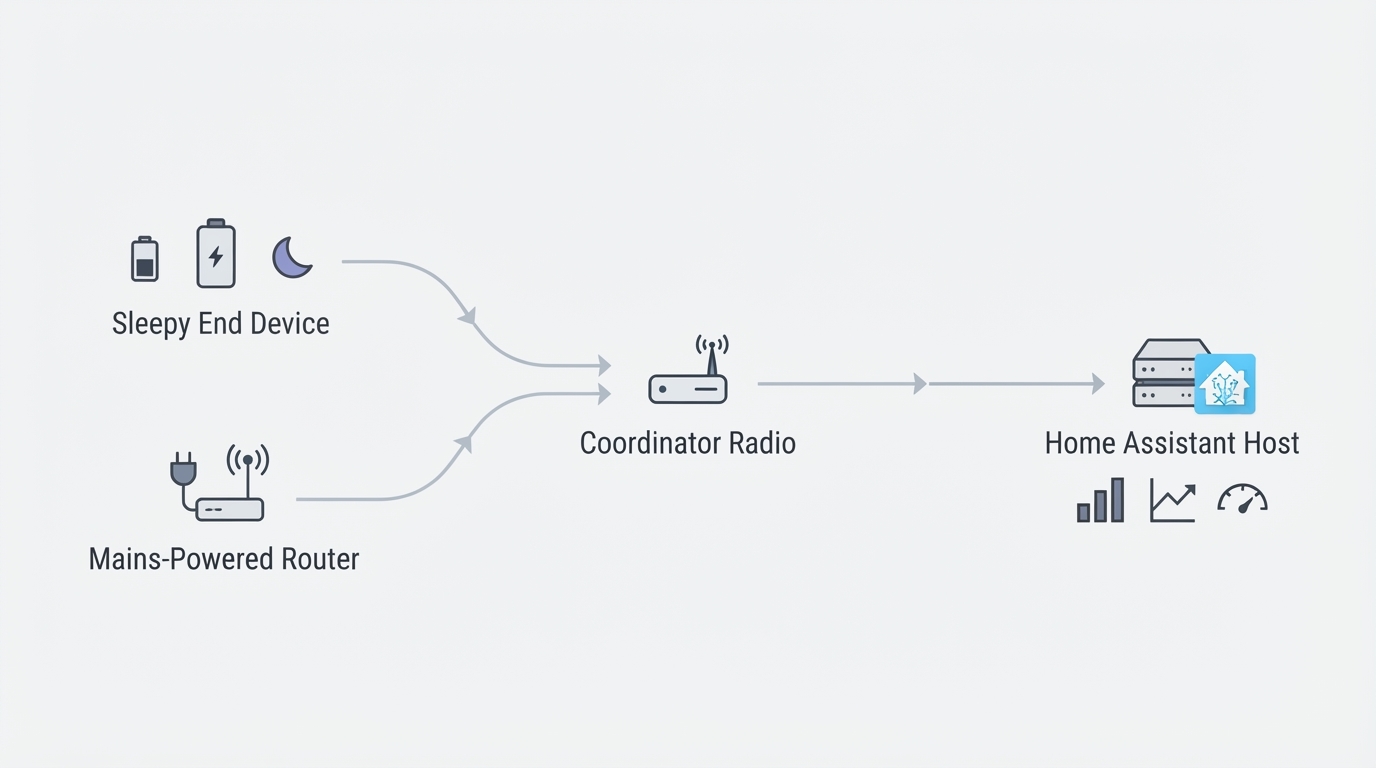
In the Zigbee specification, one device has a special job: the coordinator. It creates the network, chooses the channel, holds the network key, and acts as the trust center that decides which devices may join. Everything else is either a router, which passes traffic along and is normally mains-powered, or an end device, which is often a battery sensor that sleeps and does not relay traffic.
That is why the hardware people call a "gateway" is almost always a coordinator with an extra job attached. The radio does the Zigbee work; the gateway part converts the radio's traffic into something a computer can consume, over serial USB or over the network. A hub usually means the same coordinator plus a vendor app and, often, a cloud account. A bridge usually means a translation box between two ecosystems, one protocol on each side.
The label matters when you shop. Some listings sell a bare coordinator with no software, and you bring the host and the integration. Others sell a closed hub with a fixed app. Both can be called a "Zigbee gateway", but only the first is usually what a Home Assistant user wants, because local control depends on the integration running on hardware you own rather than on a vendor's servers.
How a Zigbee gateway connects a mesh to Home Assistant
The path from a sensor to an automation has four stages, and understanding them makes every later decision easier.
- The radio. This is a USB stick or a network coordinator that speaks over Ethernet or Wi-Fi. A USB stick has to sit physically near the host; a network coordinator can sit anywhere on your local network, which matters more than any spec you will read on a box.
- The link to the host. Home Assistant talks to the radio through a device path or an IP address. This is the layer that breaks first when a cable is loose, a USB port is unstable, or the host reboots.
- The integration. ZHA is built into Home Assistant and needs nothing else. Zigbee2MQTT runs as a separate service with a message broker and exposes devices over MQTT, and it tends to offer finer per-device tuning.
- The entities. The integration turns each device's capabilities into entities, so your automations run locally instead of round-tripping through a cloud service.
Then there is the mesh itself. The coordinator is the only device that is strictly required. Mains-powered devices - smart plugs, bulbs, in-wall modules - act as routers and carry traffic for the sleepy battery sensors around them. That is why adding a second coordinator does not extend coverage, while adding a mains-powered router does. If a door sensor at the far end of the house keeps dropping, the usual fix is another router between it and the coordinator, not a bigger radio.
One consequence deserves its own sentence: the coordinator holds the network state. If it dies and you have no backup of that state, replacing it means pairing every device again.
What to evaluate before you buy a coordinator
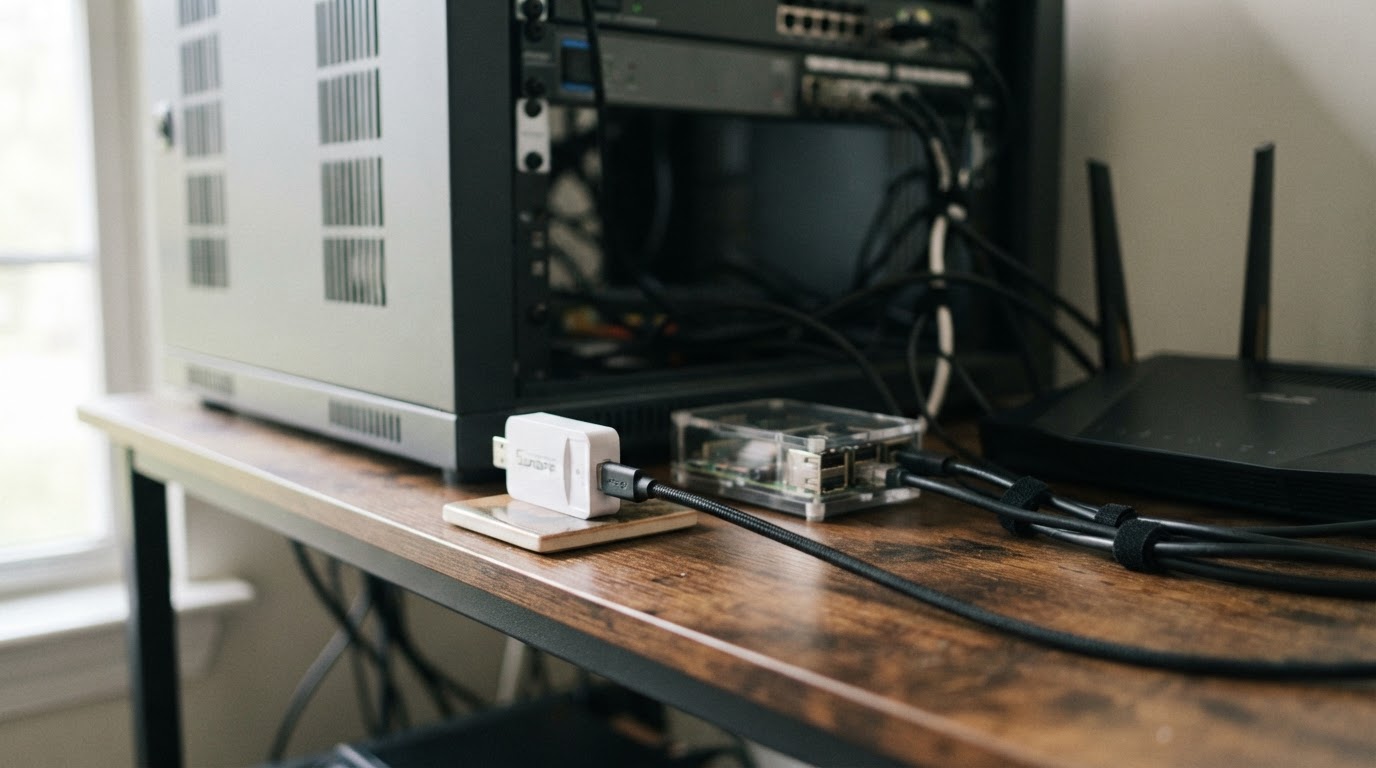
Placement beats chip marketing. Decide where the radio will physically live before you compare models. A stick plugged into the back of a server next to SSDs, power supplies and USB 3 ports sits in a hostile spot. A network coordinator lets you keep the server in the closet and put the radio on a shelf in the middle of the house. If you will use a USB stick, plan for a short extension cable from the start.
Interference is normal, not exotic. Zigbee shares the 2.4 GHz band with Wi-Fi and with USB 3 ports, which radiate. In practice, the cheap fixes are the effective ones: move the radio away from the host, keep it off metal, choose a channel that does not collide with your Wi-Fi, and accept that a short extension cable can outperform a hardware upgrade.
Integration support. Decide between ZHA and Zigbee2MQTT first, then check that your coordinator is supported by the one you chose. Support is chipset-driven, so read the chipset family rather than the product name on the box. A coordinator that works well today can still become a dead end if its firmware is no longer maintained.
Firmware and recovery. Can you update the firmware yourself, and is there a documented path back if an update fails? More importantly, can you take a backup of the network state and restore it onto a replacement coordinator? On a network with a handful of devices, re-pairing is an evening. On a network with dozens of devices, it is the whole weekend.
Form factor and power. USB is the simplest and cheapest option. Ethernet or PoE costs more, but it removes the host from the radio equation and survives host reboots and USB problems better. If your server sits in a rack or a metal cabinet, the network option usually pays for itself in reliability long before it pays for itself in specifications.
Device count and growth. A couple of dozen devices rarely stress a coordinator. Past that, radio quality, placement and the number of mains-powered routers matter far more than an advertised range figure. Plan for growth by keeping placement and backups easy, not by buying the largest number on the box.
Local control. Prefer hardware that works with a local integration and no vendor account. A hub that needs a cloud login to function adds a dependency you cannot control, and a dependency you cannot control is a lock-in with a shutoff date you do not get to choose.
Price. A bare USB coordinator costs far less than a network coordinator with an external antenna and PoE. Both can run a healthy network; the question is which one fits where your host actually lives.
Where to see these criteria applied
Before replacing a gateway, record whether the intended setup operates locally and how its supported migration procedure works. Compare the current position with feasible USB-extension or Ethernet positions; there is no universal 30-device threshold in this guide.
A commissioning checklist for a new coordinator
Setup is less about exotic features and more about order of operations. Exact menu names differ between ZHA and Zigbee2MQTT and change over time, so read these as checkpoints rather than click-by-click instructions.
Before you start, gather the basics: a working Home Assistant host, the integration you chose, a USB extension cable or a network cable, your Wi-Fi channel plan, and a recent Home Assistant backup.
- Choose a Zigbee channel that does not overlap your Wi-Fi channels, and write the choice down.
- Put the radio in its final position before you pair anything. Moving it later means the network learns its neighborhood twice.
- Update the coordinator firmware before you build the network, and note the old firmware version in case you need to roll back.
- Connect the radio and confirm the host can see it at a stable device path or IP address.
- Start the integration and confirm the coordinator is recognized, with a working network status.
- Take a backup of the network state before you pair the first device. This is the single step that makes a future coordinator swap cheap.
- Pair devices nearest the coordinator first, then work outward one room at a time.
- After each batch, confirm the new devices report state and that distant ones are using mains-powered routers rather than fighting to reach the coordinator directly.
- Let the network run for a day, then check for devices that dropped offline and add a router where coverage is thin.
- Take a second backup after commissioning, and keep it somewhere other than the host.
You know it worked when the coordinator appears in your integration, every device reports state, mains-powered devices show up as routers, and nothing has dropped offline after a full day.
What you cannot settle from a spec sheet: radio conditions in your home, firmware quirks in individual devices, and the fact that any later swap still depends on a restore path you have actually tested. Keep the backup, and keep the old coordinator until the new one has run for a full week.
Common mistakes and trade-offs
Treating "gateway", "hub", "bridge" and "coordinator" as one thing is the first mistake, because it hides whether you are buying a radio or an app.
Buying a stronger radio to fix a placement problem is the second. Interference and distance are physical problems; a better antenna in a bad spot is still a bad spot.
Adding a second coordinator to cover a far corner is the third, and it does not work. Routers extend a Zigbee mesh; separate coordinators create separate networks unless they are deliberately joined to the same one.
Skipping the backup before pairing is the fourth, and it is the one that turns a two-hour job into a lost weekend when a coordinator dies later.
The real trade-off: a coordinator swap can add headroom, better placement and a supported firmware path, but on a network that is currently stable it is still a maintenance risk. Improve the radio position first, keep the backups current, and change hardware when you have a reason, not because a new chipset exists.
None of this needs a laboratory. The decisions that age well are the cheap, boring ones: a radio in a good spot, an integration you understand, a firmware path that is maintained, and a backup you have restored at least once in practice.
Official setup and migration references
Home Assistant ZHA: supported hardware, backups and migration
Zigbee2MQTT: migration between adapters and re-pairing conditions