The model is not the diagnosis
If you are researching the SMLIGHT SLZB-06M, you have probably already read a product page and come away with a list of numbers: radio, power, ports, price. None of those numbers answer the question that actually decides the purchase. The question is whether this coordinator will leave your Zigbee network measurably steadier than the one running today.
There is a reason to start there. Zigbee problems that look like hardware failures are often physical or software problems wearing a hardware costume: a radio shouting through a metal rack, a mesh that has quietly routed itself badly, a driver that worked for months and then did not. A new coordinator resets none of those on its own, and it adds a migration on top.
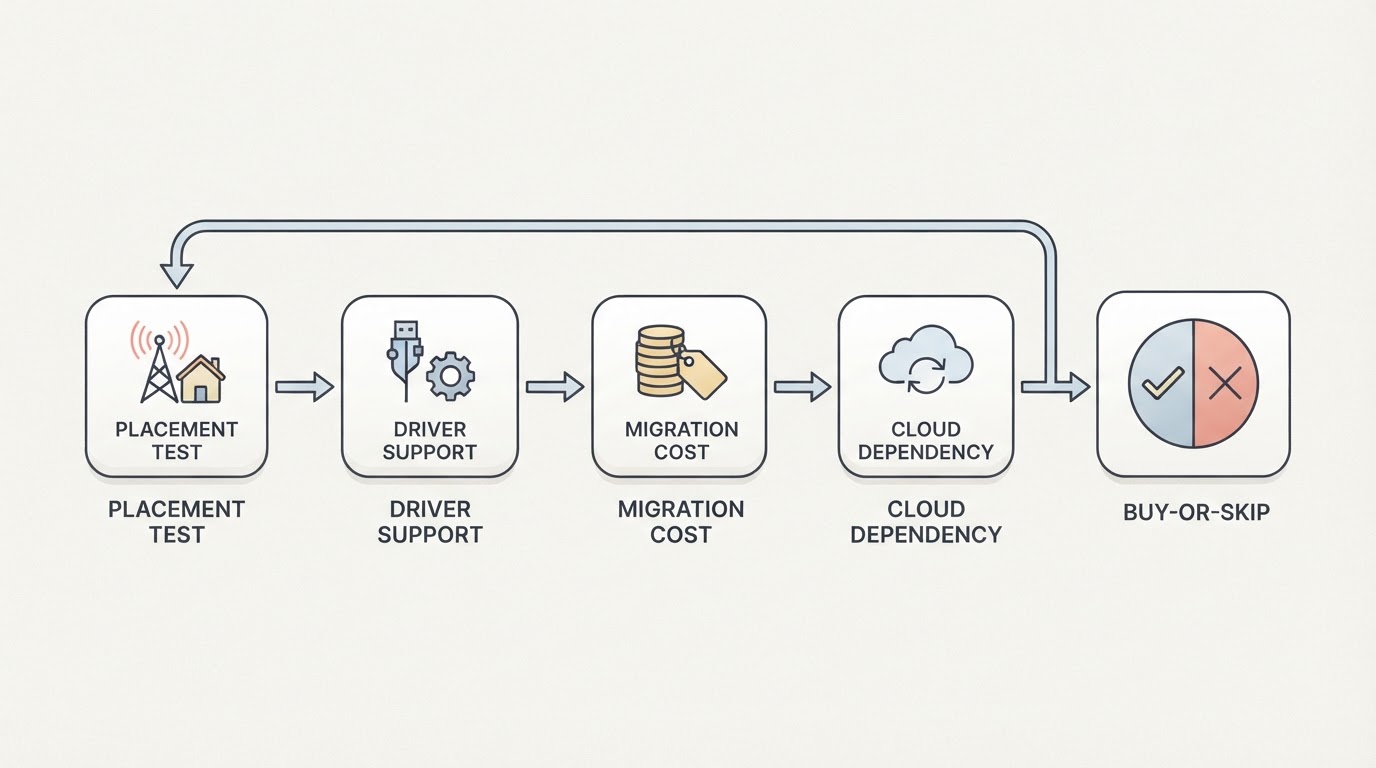
So treat the SLZB-06M as the answer to a question you should be able to state in one sentence. The four checks below decide whether it is the right answer for your network, and they are ordered by how much money and weekend time each one can save you.
Check one: are you fixing placement or buying hardware?
Before the model, the position. A coordinator has to hear 30 to 50 battery-powered devices that transmit in short, low-power bursts, and the cheapest way to ruin that job is to leave the radio in the same case as a server's power supply, USB 3.0 ports and Wi-Fi circuitry, all of which sit in or near the 2.4 GHz band Zigbee uses.
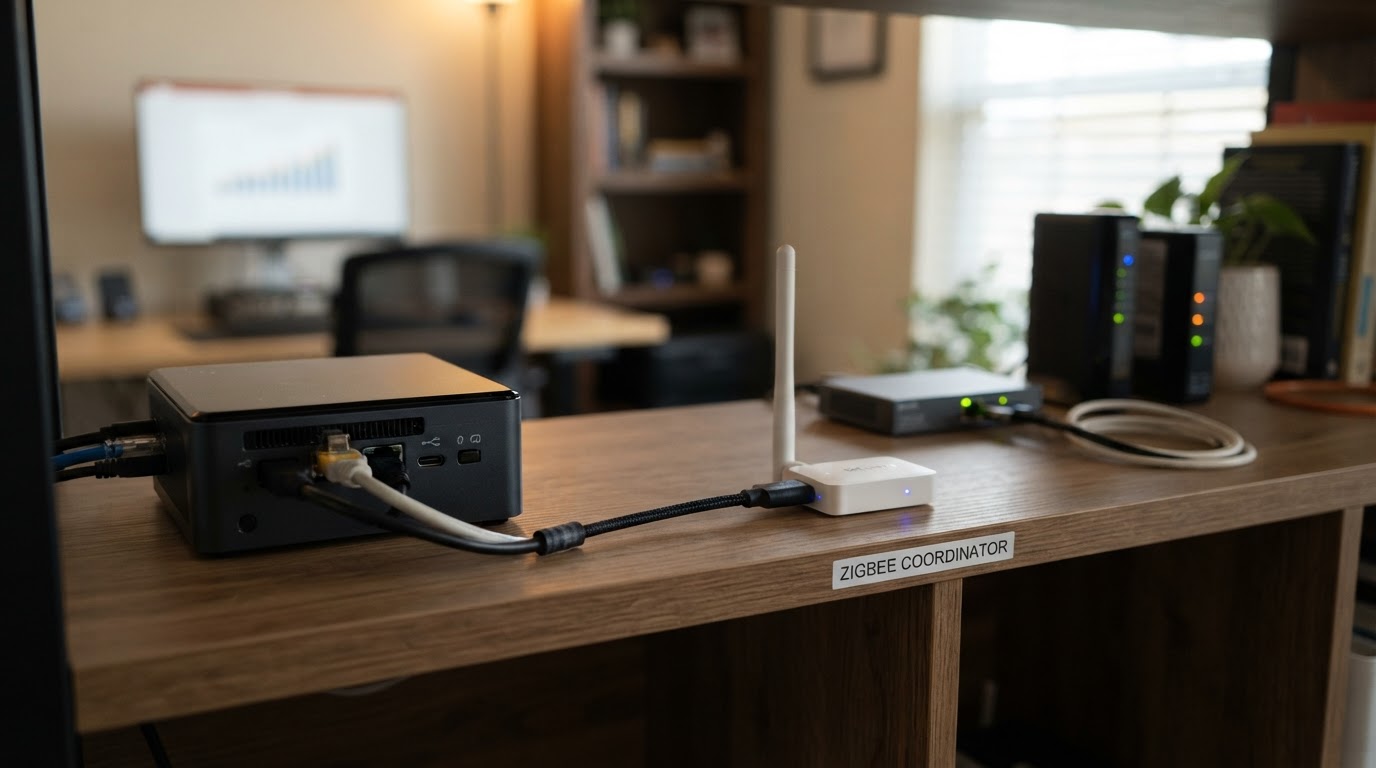
Compare two possible locations before buying: where a USB extension can place the radio, and where Ethernet can place it. Record cable access, power, nearby interference and the devices that currently fail. Device count alone does not establish a universal point at which PoE becomes necessary.
The test is quick and free. Take your current coordinator, move it off the server on a short extension or reposition it elsewhere in the room, and watch your problem devices for a week. If the dropouts fall, your fastest fix is not a stronger radio, and you have learned something about where a coordinator needs to live in your home. If they do not move at all, you have a real case for new hardware.
Check two: does your software stack already trust the driver?
When the placement question is settled, the second check is software, and it decides whether the model is merely available or actually usable for you.
Zigbee coordinators are built around different radio chipset families, and each family travels with its own driver. In Home Assistant terms that driver is what sits between your stack — ZHA or Zigbee2MQTT — and the radio. A coordinator whose driver is mature in your stack is an evening's work. A coordinator whose driver is still settling is a project with an unknown end date.
Verify the exact model, firmware and adapter driver against the current support list for the integration you intend to use.
Three questions settle this check for the SLZB-06M:
- Which driver does the model's chipset require, and is that the driver your stack is already using?
- Is that driver marked stable in your version of ZHA or Zigbee2MQTT, or does it still carry notes about partial support?
- Does the model's documented setup path let you update the radio later without rebuilding the network?
If the vendor's product page and manual cannot answer those three plainly, that is its own decision signal. Confirm them against current documentation, not a forum thread from two years ago.
Check three: what does the migration actually cost?
A new coordinator is not just a purchase. It is a cutover with dozens of paired devices hanging off it, and the price of that cutover is set before you order.
Before a cutover, write down these four checks and a rollback plan. A report of a successful migration on another network is not a guarantee for your adapter combination:
- Backup. How you snapshot the current coordinator's configuration, and whether you have ever tested restoring it.
- Driver family. Whether you are moving within one driver family or across two, which is the difference between a restore and a rebuild.
- Device count. Re-pairing is measured in hours once battery-powered devices and their physical locations are involved.
- Rollback. Whether the old coordinator stays available until the new one has cleared a soak test.
The rule that saves the most time is the least glamorous: keep the old coordinator and a working backup until the new one has run for a week, and never migrate in the same week you change anything else.
Check four: does it run without a cloud account?
One criterion applies to the SLZB-06M and to every coordinator you shortlist: does the device pair and run entirely on your own network, without an account, a cloud service, or an app that has to reach a vendor server first?
Before you buy, walk the setup route end to end: pairing, firmware updates, and any companion configuration tool. If a step in that chain depends on an account you do not control, factor it into the decision now rather than after the devices are on the wall.
What commissioning actually looks like
Commissioning the SMLIGHT SLZB-06M is less about menus than about order of operations. The model-specific screens differ by firmware and revision, so follow the vendor's manual for those; the sequence that produces a clean cutover is the same either way.
- Record a baseline before you touch anything. Note the device count, the devices that already drop, and where they sit in the building. Without a baseline you cannot tell a fix from a coincidence.
- Place the radio first. Decide where the coordinator will physically live, sort out the cable and power path, and confirm the location reaches your worst-behaved devices before you commit to pairing.
- Move the network deliberately. Restore or re-pair along the driver path you already checked, and do it in one sitting rather than across days of partial state.
- Soak test against the baseline. Give the new coordinator a fixed window — a week is a reasonable default — and compare the same devices you tracked in step one. The completion standard is simple: fewer dropouts than the baseline, not "it feels faster".
- Keep the rollback warm. Leave the old coordinator and its backup untouched through the soak window, and only then retire it.
If a step fails, the failure is information. It tells you whether the problem was placement, driver support, or the old coordinator, and that is the whole point of doing this in order.
When the SLZB-06M is the wrong purchase
The same framework is also a list of reasons to skip this coordinator, and any other model:
- The placement test already fixed your network. You have a cable or position problem, not a radio problem.
- Your current setup is stable and your device count is modest. A coordinator swap is not worth doing for novelty, and stability is the thing you would be spending a weekend to get back.
- Your stack has not finished supporting the driver the model needs. Buying into experimental support means you become the person finding the bugs.
- You cannot give the migration a weekend plus a soak week. A half-migrated network is worse than the one you started with.
- You are buying a number. A higher gain figure, a bigger antenna or a newer chipset only helps if your network has a measured problem that the number addresses.
The bottom line on the SMLIGHT SLZB-06M
The SLZB-06M is a reasonable answer to a specific question: you run a Home Assistant Zigbee network of 30 or more devices, your server sits where radios struggle, and you want the coordinator off the host without giving up local control. Work the four checks in order — placement, driver support, migration cost, cloud dependency — and the model either clears them on evidence you gathered yourself, or it does not.
Do not buy it to chase a specification, and do not migrate a working network for novelty. Confirm the model's current chipset, driver support, power and price on SMLIGHT's own product page and manual before you order, because those details change between revisions and they are the ones that decide the purchase.
Official setup and migration references
Home Assistant ZHA: supported hardware, backups and migration
Zigbee2MQTT: migration between adapters and re-pairing conditions