Start With the Value the Template Reads
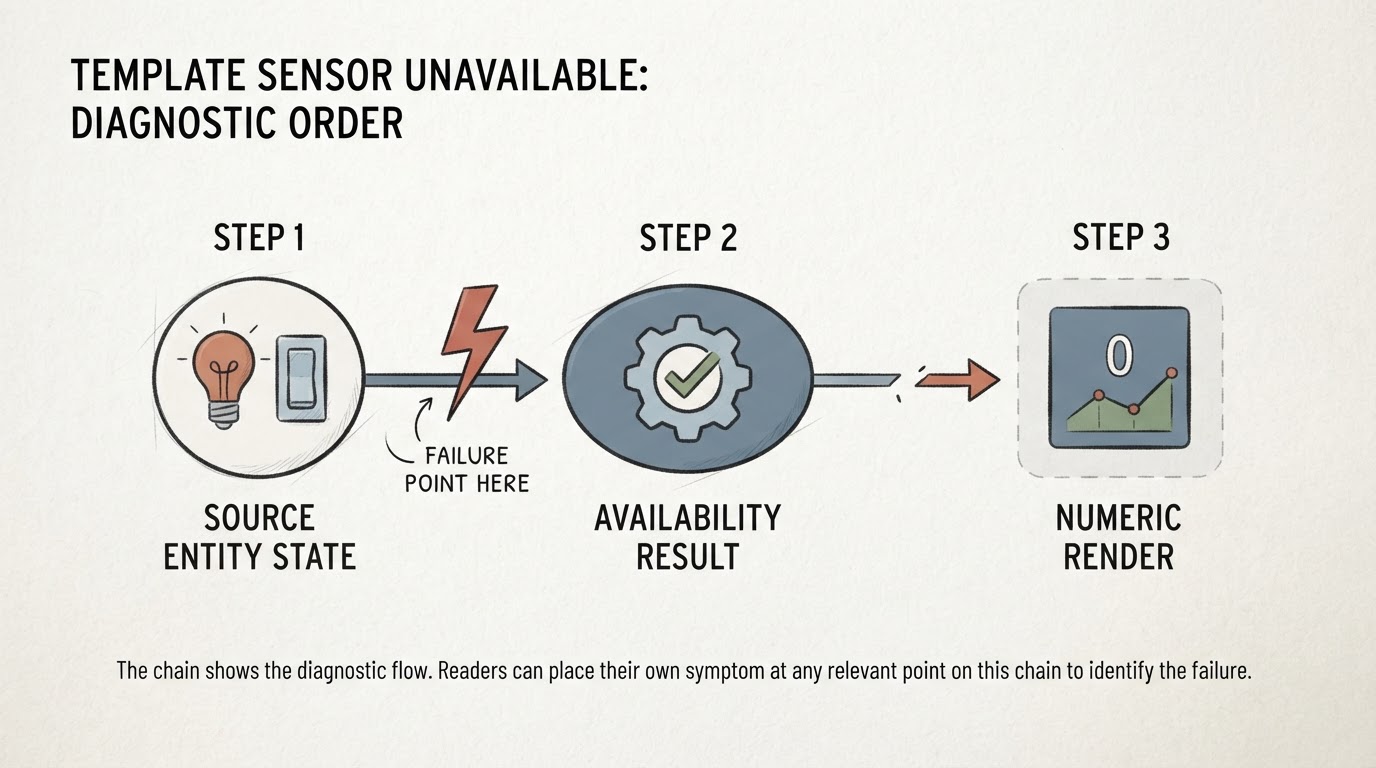
Paste the reference by itself into the template editor under Developer Tools: {{ states('sensor.source_temperature') }}. If it prints unavailable or unknown, the derived sensor is reporting the truth and the fault is upstream: a device that dropped off the network, an integration that never started, or an entity ID that does not exist. The ID has to match exactly, domain included, so sensor.source_temperature is not binary_sensor.source_temperature. That ID is a placeholder throughout this article; substitute the entity you actually have.
Also confirm you are looking at the same entity the running system is using. Developer Tools → States shows the current attributes of the entity that exists right now, which is more trustworthy than the block in the file you just edited.
Availability Is a Pass or Fail Statement
availability is not a description; it is a pass or fail expression. The Template integration documentation is precise about it: the entity is available if the template returns True, "1", "true", "yes", "on", "enable", or a non-zero number, and if it fails to render. Any other value makes the entity unavailable. If the option is left out, the entity is always available.
The failure-to-render rule catches people. A typo in the availability template does not make the entity unavailable; it makes it available, and the state template is left to produce something unusable. That is why the state template has to be safe on its own terms, and why the log matters as much as the entity state.
The other common mistake is testing for the wrong thing:
{{ states('sensor.source_temperature') != 'unavailable' }}That expression is true for the string unknown, so the entity stays available while the state template tries to build a number out of text. is_number() asks the question you actually mean: whether the value converts to a number.
An Illustrative Guarded Template
The configuration below is illustrative. It is not a copied official example, and it is not a configuration that was installed and tested here. Replace sensor.source_temperature with your real source entity, and keep unit_of_measurement: "°C" only if that source reports degrees Celsius. The derived entity gets its own name and unique_id so it is never confused with the placeholder it reads from.
template:
  - sensor:
      - name: "Guarded source temperature"
        unique_id: guarded_source_temperature
        unit_of_measurement: "°C"
        state_class: measurement
        availability: >-
          {{ is_number(states('sensor.source_temperature')) }}
        state: >-
          {{ states('sensor.source_temperature') | float(none) }}
Two lines do the work. The availability line is the guard: when the source is not numeric, the entity is marked unavailable and the state template is not asked for a value, so invalid input never becomes a number. The state line then declares what to emit if a render still fails, and float(none) emits no number at all.
The same documentation states the remaining constraint plainly: when a sensor declares a state_class or a unit_of_measurement, its state template must render a number or none. It must never render a string — unknown and unavailable included.

float(0) Is a Parsing Fallback, Not a Measurement
float(0) supplies an explicit zero when conversion fails, which is a parsing decision rather than evidence that the sensor read zero. The current float reference is direct about both cases: the default is returned when the input is None, unavailable, unknown, or any value that cannot be converted, and if you leave default out, a failed conversion raises an error and the template fails. A bare | float therefore does not quietly become zero.
float(none) is the other explicit option. It returns none, which a numeric sensor is allowed to render, so the entity shows no value instead of a number.
With availability: {{ is_number(states('sensor.source_temperature')) }} in place, invalid input is already handled: the entity goes unavailable and the state template is never asked to convert a bad string. The guard, not the fallback, is what keeps invented zeros out of your history. Behind that guard the fallback only matters for a render that somehow gets past the check, so the choice between float(0) and float(none) is not a meaningful continuity advantage over accuracy — it only decides what a second failure looks like. Where zero has no physical meaning for the reading, float(none) states the absence instead of inventing a number. A fallback zero is indistinguishable from a real one in history: an entry that should have been a gap becomes a plausible flat line.
Configuration, Startup, and Update Triggers
Several things outside the template text can make a correct template produce a wrong entity.
The loaded configuration. Entities are declared under the top-level template: key. A block that sits in a file your installation does not read — an include that is not wired up, a package that is not enabled, a YAML error that stopped the load — never becomes an entity, or leaves the previous version running. If your configuration dates from an older release, check what your version expects before rewriting it; the declaration format has changed across releases.
Startup. After a restart, a template sensor can sit at unknown or unavailable until the source platform is ready and the template renders again. On a slow integration that window is longer than you would like, and it looks exactly like a broken template if you check too early.
Update triggers. State-based templates re-render when referenced data changes, but a trigger-based template entity updates when its triggers fire. If the entity uses triggers, a change to the source is not guaranteed to reach it.
Reload Depends on Your Version and Setup
Current releases expose a reload action for template entities, and reloading is a cheap first attempt after an edit. Whether it applies your change depends on the version and on where the configuration lives, so do not treat it as the fix. Reload, then read the log to see what was actually loaded and re-rendered.
When the Editor Works and the Entity Does Not
If the template editor returns the right number but the entity does not, stop editing the template text and check the rest of the path:
- Loaded configuration: is that block in a file this installation reads, and did the reload succeed?
- Runtime context: does the running entity reference the same source entity you pasted into the editor?
- Update triggers: is this a trigger-based entity waiting for a signal that never came?
- The log: template render errors and non-numeric state warnings usually appear there, including the unit and state-class problems people reach for first.
Unit and state_class mismatches are real, and they are worth checking once the log points at them, but they rarely explain a stale or unavailable entity on their own.
Symptom Map
What you see | Where to look first |
|---|---|
| The source entity and its integration |
| The availability template |
| The numeric conversion in the state template |
| A numeric fallback filling in with no availability guard |
Correct in the template editor, wrong in the entity | Loaded configuration, runtime context, update triggers, and the log |
What to Check Next
If the source is numeric, the availability template is a clean test, and the state template renders a number, look at what consumes the entity. A numeric state trigger needs a crossing, so a sensor that disappears and returns may never deliver the transition you were waiting for. And if the value you are chasing lives inside an automation run instead of a template sensor, the guide to automation run variables covers what persists between steps.
The report you are reading is usually true. The question is only which layer stopped telling the truth first: the source, the availability test, the numeric state, or the configuration that was actually loaded.