How the Tag Replacement Works
A tag is a label you attach when you send a Companion app notification. The Home Assistant Companion documentation explains that all subsequent notifications that carry the same tag take the place of the notification already on the device, so the phone shows one alert instead of a growing stack. The first message has to be sent with that tag as well; replacement starts with the alert you tag, not with alerts already on the screen.
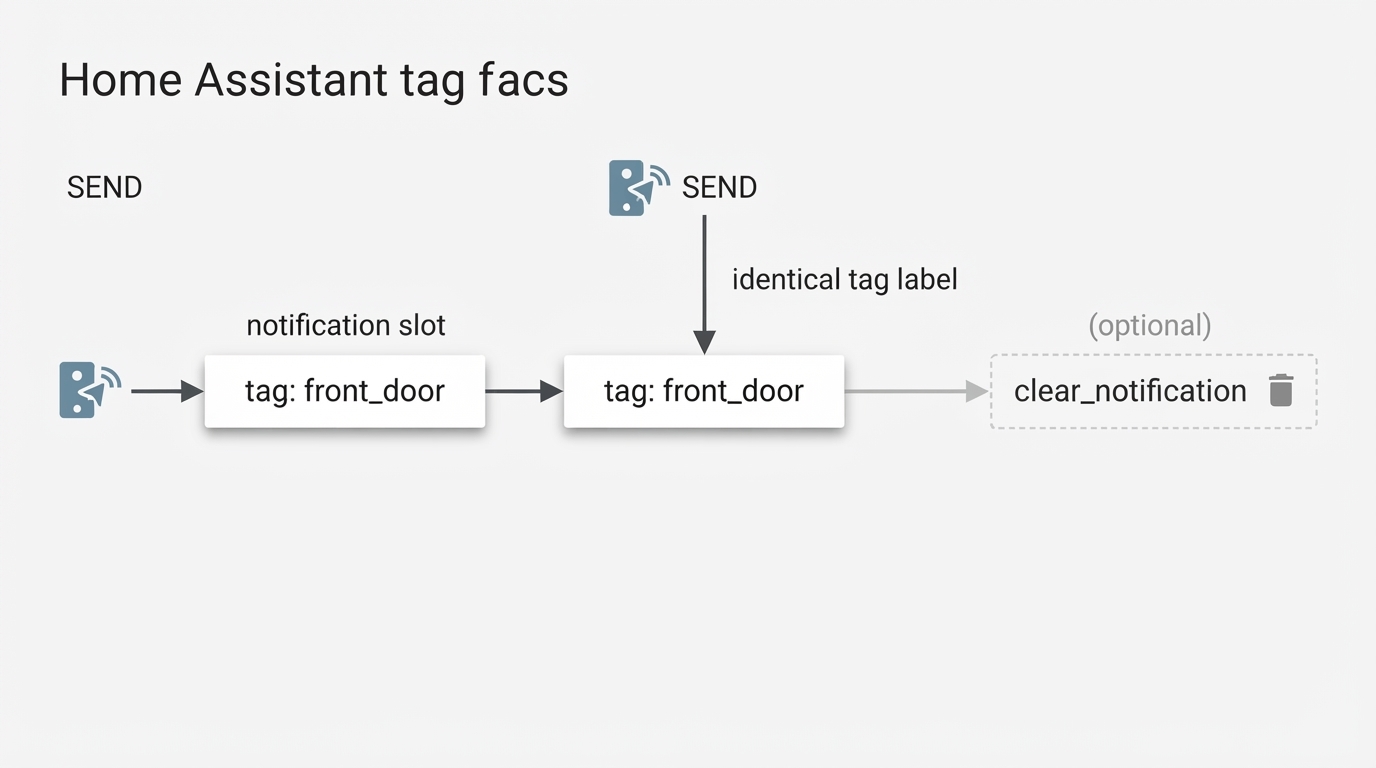
Send the first alert from Developer Tools > Actions with action-only YAML:
action: notify.mobile_app_your_device
data:
  title: "Front door"
  message: "Front door opened"
  data:
    tag: front_door
Then repeat the action with the same tag and the new text:
action: notify.mobile_app_your_device
data:
  title: "Front door"
  message: "Front door still open after 10 minutes"
  data:
    tag: front_door
notify.mobile_app_your_device is a placeholder. Replace it with the notify action your own Companion app registered, which you can find in the Actions list.
The Tag Must Be in the Nested Data Block
Three checks catch most failed replacements.
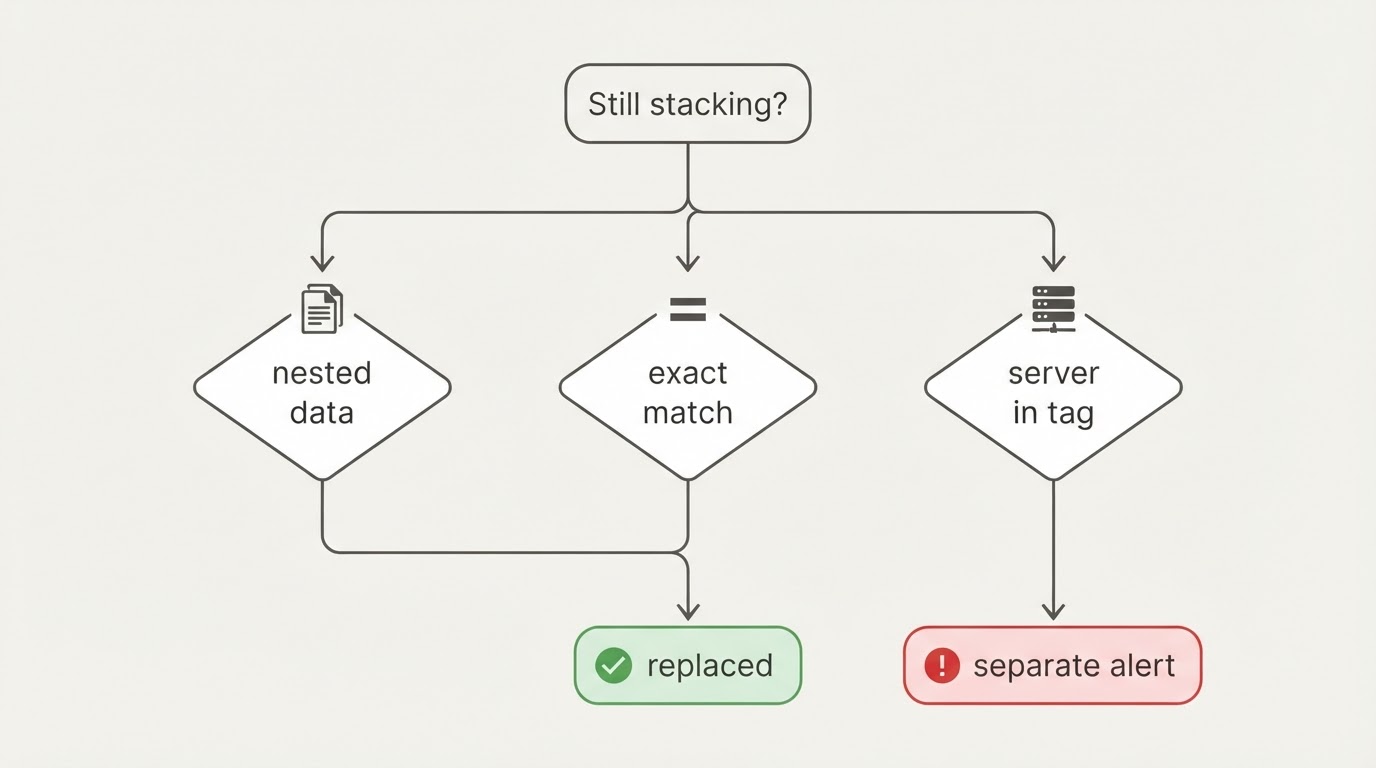
- Placement: the call has an outer
data:block for the title and message, and the tag belongs in the innerdata:under it. A tag in the outer block never reaches the notification payload. - Exact match: tags are strings, so
front_door,Front_Doorandfront-doorare three different tags. Reuse the same value, punctuation included. - Server collisions: tags are not scoped to one Home Assistant instance, so the same tag sent from a second server to the same phone can collide with this alert.
Tag, Group, and Channel Do Different Jobs
Key | What it sets | Does it replace? |
|---|---|---|
| The identity of one notification | Yes: the same tag replaces |
| How alerts are grouped visually | No: grouped alerts stay separate notifications |
| Category, sound and importance | No: display settings only |
The Companion docs treat group as visual grouping and warn against using the same tag in a different group, because that combination produces unexpected behavior. Notification channels are Android's way of separating alert types; when you name no channel, the notification uses the default channel, which many devices label General. Choose a channel when you want a different sound or importance, and use the tag when you want one alert to update itself.
Tags and groups are also not automatically server-specific. If your phone receives notifications from more than one Home Assistant instance, include the server in the tag, such as home_front_door rather than front_door, so the two systems do not overwrite each other.
Clear the Alert With the Same Tag
When the event resolves, remove the alert by sending clear_notification to the same tag:
action: notify.mobile_app_your_device
data:
  message: "clear_notification"
  data:
    tag: front_door
The docs attach conditions to clearing: iOS needs Companion app version 2021.5 or later, and some platforms need the app to have been used recently before a clear takes effect, which covers all iOS notifications and Android notifications not marked critical. On iOS, a tag clears only the most recent critical notification.
What a Tag Cannot Replace
- Critical iOS alerts: the docs state that iOS does not support replacing critical notifications, so a second critical alert can still arrive as its own entry.
- Persistent notifications in Home Assistant: a tag describes Companion app notifications. Do not carry the same rule over to the
persistent_notificationservice inside Home Assistant, which is a separate mechanism. - Other critical alerts: the promise that a new message takes the old one's place belongs to the documented tag feature, not to every critical notification a device can show.
If the Notify Action Is Missing
If notify.mobile_app_your_device never appears under Developer Tools > Actions, the missing action alone does not prove the phone was never registered. The action name, the device's permissions and whether the integration finished loading can all differ from one install to the next. Check Companion registration first, then read the actual notify action name from the Actions list and copy that exact value into the action: line instead of the placeholder. The install paths and the missing-entity checks that follow an update are covered in the Home Assistant integrations guide.
Once the tag sits in the inner data: block and every send reuses it unchanged, a supported, non-critical Companion notification aimed at the same target and tag updates the alert in place rather than stacking. Critical iOS alerts, clears that never arrive and notifications sent through other Home Assistant services still follow the limits described above.