Short answer
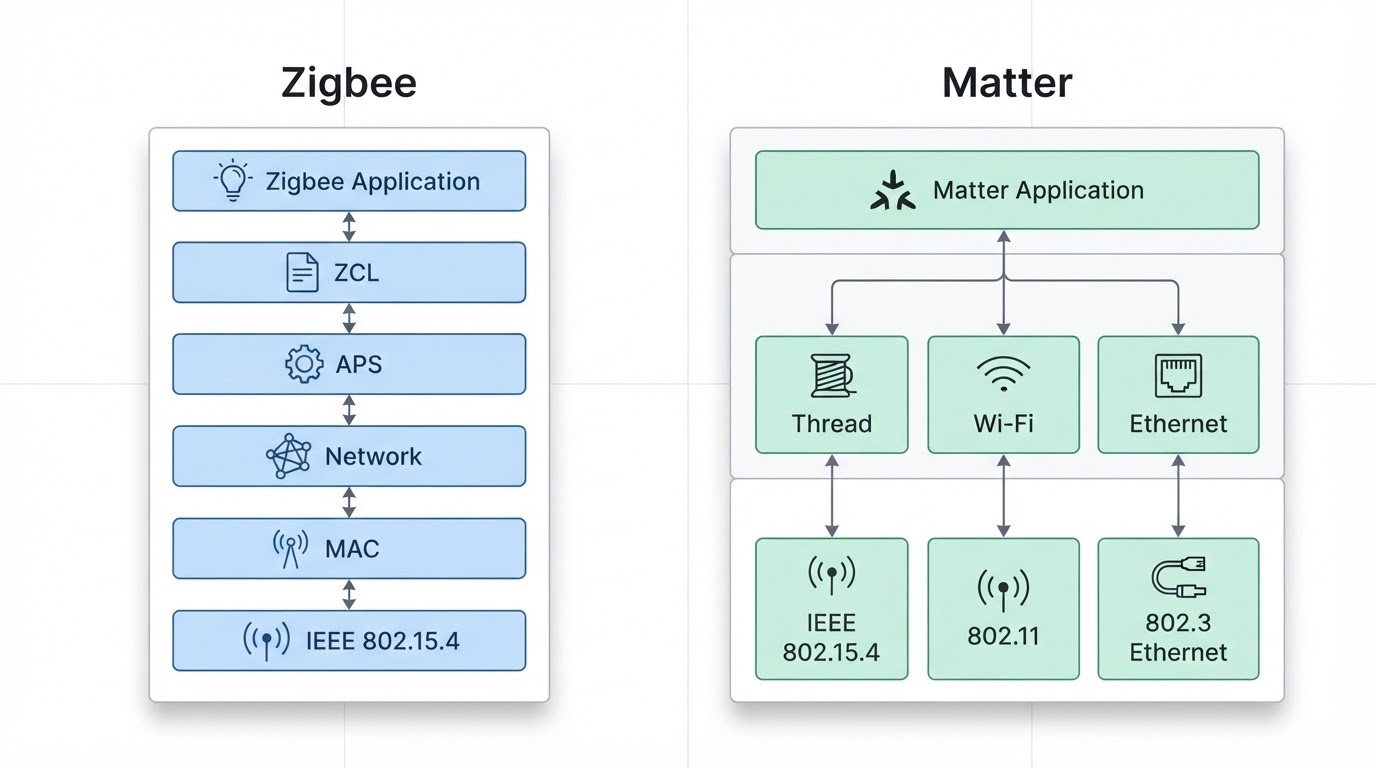
Zigbee and Matter solve different problems. Zigbee is a low-power mesh protocol that moves messages between sensors, lights, plugs, and a coordinator. Matter is an application-layer standard that aims to make devices from different ecosystems speak a common control language—often over Thread (another 802.15.4 mesh), Wi-Fi, or Ethernet.
For a real Home Assistant / local-control build, the practical rule is:
- Choose Zigbee when you want the broadest mature low-power accessory catalog, proven coordinator tooling (ZHA or Zigbee2MQTT), and battery sensors/buttons that “just work” on a dedicated mesh today.
- Choose Matter when multi-app pairing, multi-controller ownership, and long-term cross-vendor interoperability matter more than today’s deepest accessory catalog.
- Often keep both. Many homes end up with Zigbee for dense sensors and Matter/Thread or Wi-Fi Matter for locks, hubs, and multi-ecosystem devices. They are complementary more often than mutually exclusive.
Key answers
Question | Standalone answer |
|---|---|
What is Zigbee vs Matter at stack level? | Zigbee is a full wireless mesh stack (radio + network + application profiles). Matter is a higher-level interoperability application layer that is transport-agnostic. |
Is Matter a Zigbee replacement? | No. Matter does not replace Zigbee radios one-for-one; many Matter devices use Thread or Wi-Fi instead. |
Which is better for Home Assistant local control? | Zigbee is usually stronger today for large sensor meshes and mature local bridges; Matter is stronger when you need multi-ecosystem pairing with a local Matter controller. |
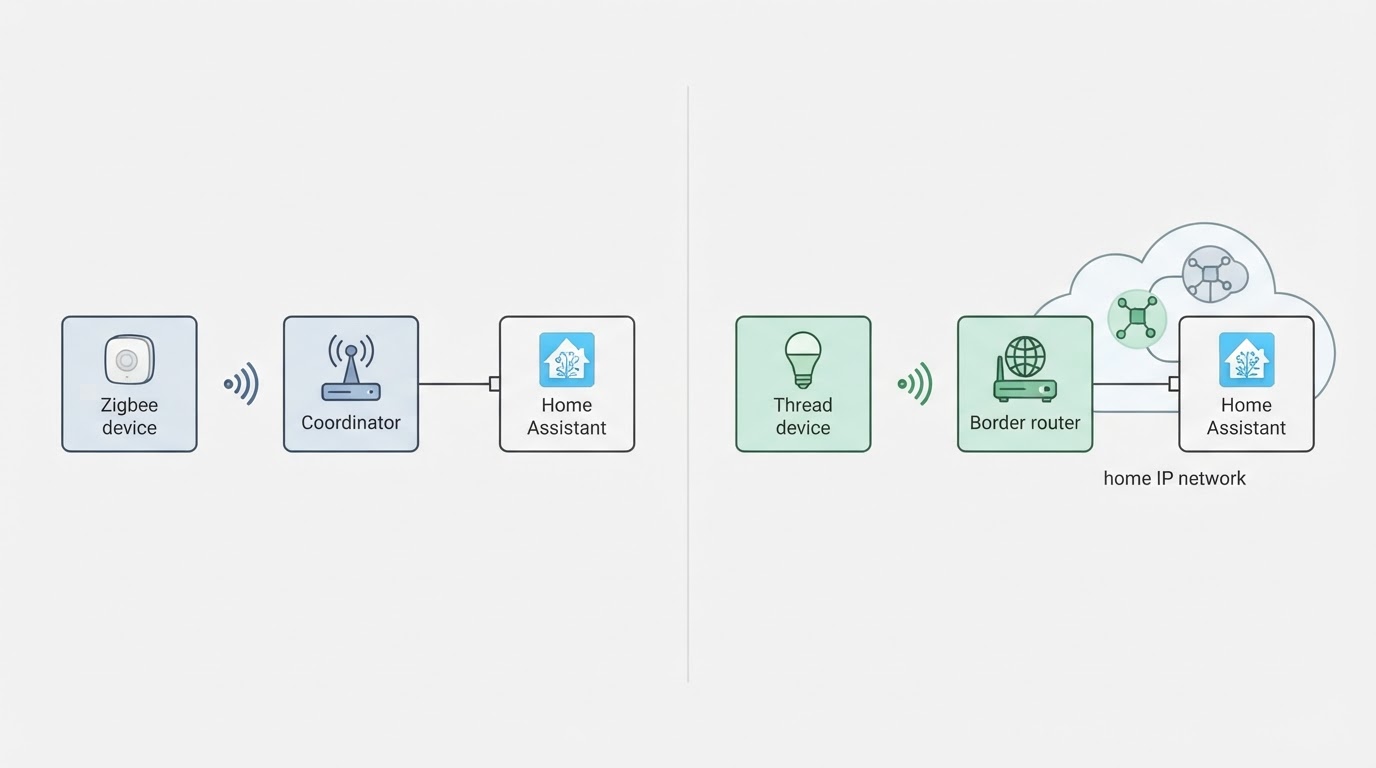
Do I need a hub? | Zigbee needs a Zigbee coordinator. Matter needs a Matter controller; Thread-based Matter also needs a Thread border router somewhere on the LAN. |
Should I rip out working Zigbee? | No. Keep stable Zigbee networks and add Matter where multi-ecosystem or new device classes justify it. |
Where does Thread fit? | Thread is a low-power IPv6 mesh often used under Matter. Zigbee and Thread can share the same radio family (IEEE 802.15.4) but are not the same network. |
Zigbee vs Z-Wave in this choice? | That is a separate radio-protocol decision. Matter sits above transports; Z-Wave remains its own mesh family and is not “Matter vs Zigbee.” |
What each technology actually is
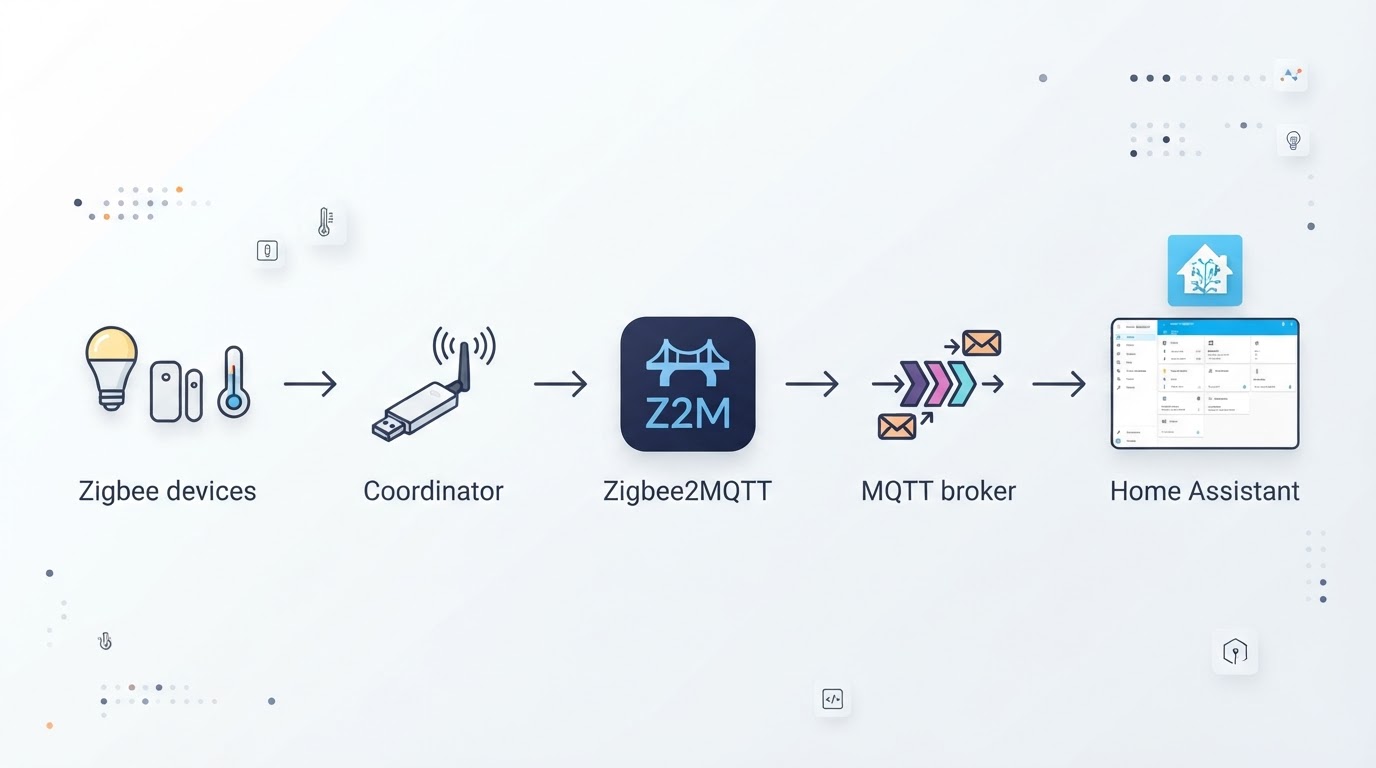
Zigbee is a complete device-communication stack. It uses IEEE 802.15.4 radios, forms a mesh of routers and end devices, and carries device profiles for lights, sensors, switches, and more. In DIY setups you almost always attach a USB or Ethernet Zigbee coordinator to Home Assistant (via ZHA) or to Zigbee2MQTT.
Matter is not “another Zigbee.” It is an interoperability application layer standardized across major platform vendors. A Matter device still needs a transport: commonly Matter over Thread, Matter over Wi-Fi, or Ethernet. Matter’s job is consistent commissioning and control semantics across controllers—not defining one exclusive radio the way Zigbee does.
Thread is the frequent missing third term. Thread is a low-power IPv6 mesh on 802.15.4. Matter-over-Thread devices need a Thread border router (often built into a hub, speaker, or router) to reach your LAN and Matter controllers. Zigbee and Thread can use similar radios, but joining one mesh does not put a device on the other.
Zigbee vs Matter comparison table
Dimension | Zigbee | Matter |
|---|---|---|
Layer in the stack | Full wireless stack (radio through application profiles) | Application / interoperability layer over Thread, Wi-Fi, or Ethernet |
Typical hardware glue | Zigbee coordinator (USB stick, PoE coordinator, etc.) | Matter controller; plus Thread border router for Thread devices |
Mesh behavior | Native Zigbee mesh via mains-powered routers | Thread mesh when using Matter over Thread; Wi-Fi devices are not Thread mesh nodes |
Local control story | Strong DIY path via ZHA / Zigbee2MQTT with local pairing | Local when your Matter controller and fabric stay on-LAN; cloud is not required for basic local control, but multi-admin setups vary by controller |
Ecosystem maturity for accessories | Very mature for sensors, bulbs, plugs, remotes | Growing; coverage depends heavily on category and year |
Multi-ecosystem pairing | Usually one primary bridge/controller stack | Designed for multi-admin / multi-controller fabrics |
Best DIY fit today | Dense battery sensors and large dedicated meshes | Locks, multi-platform gadgets, and future-proof multi-controller ownership |
Migration pressure | Keep working networks; expand deliberately | Add where the device class and multi-app need justify a new fabric |
How to choose for a real home build
Start from jobs, not brand slogans. List the device classes you need in the first six months: motion, contact, temperature, buttons, bulbs, plugs, locks, thermostats, energy monitors. Then map each class to the stack that already has trustworthy local options you can buy and support.
Prefer Zigbee when the house is sensor-heavy. Contact sensors, motion sensors, temperature probes, and cheap remotes are where Zigbee’s mature catalog and dedicated mesh still shine for Home Assistant self-hosters. Plan USB placement, channel hygiene around 2.4 GHz Wi-Fi, and enough always-on routers (smart plugs/bulbs that route) so battery end devices stay reachable.
Prefer Matter when ownership and multi-app control are the product requirement. If a lock, bridge, or appliance must appear in more than one controller ecosystem—or you explicitly want Matter multi-admin—Matter is the cleaner long-term contract. Confirm the transport (Thread vs Wi-Fi), confirm you already have or will buy a border router / controller path, and confirm Home Assistant (or your chosen local controller) can commission that device class the way you expect.
Default to coexistence. A working Zigbee mesh does not need to be torn out because Matter exists. Many local-control homes keep Zigbee for sensors and add Matter only for new multi-ecosystem devices. Mixing is normal; “pick one forever” is usually marketing, not engineering.
Decide hub roles up front.
- Zigbee coordinator host (HA box, NUC, Pi, or networked coordinator).
- Matter controller (Home Assistant Matter server / other local controller you trust).
- Thread border router if you buy Matter-over-Thread gear.
- 2.4 GHz RF plan so Zigbee/Thread and Wi-Fi are not fighting the same airtime and channels blindly.
Zigbee hub / coordinator requirements
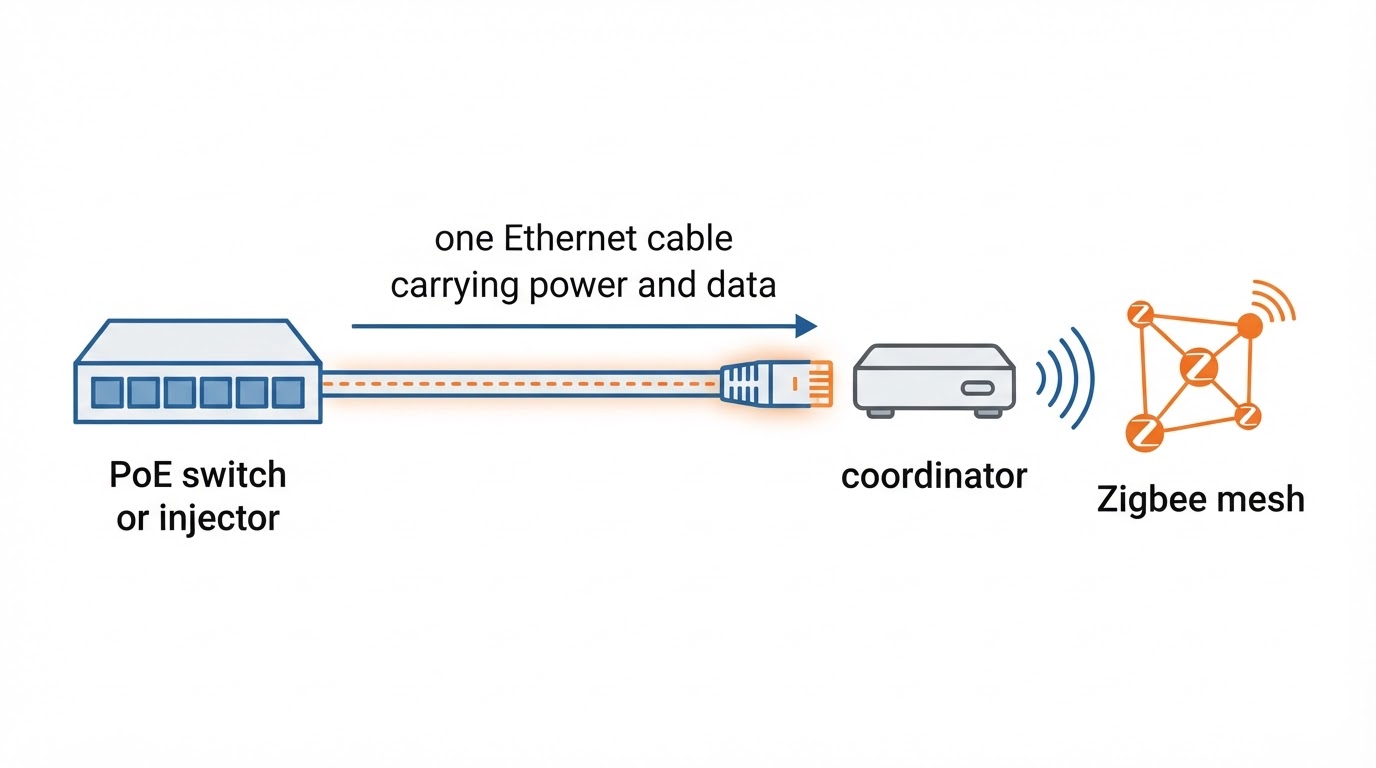
Zigbee needs a coordinator; “no hub” Zigbee is a myth for real meshes. In DIY terms that coordinator is often a USB dongle (common Ember / EFR32-class sticks) or an Ethernet/PoE coordinator. Home Assistant users typically run ZHA or Zigbee2MQTT. The coordinator is the root of the mesh; devices pair to that network, not magically to every app.
Placement beats chipset mythology. Keep the coordinator away from dense USB 3.0 noise and the server’s own Wi-Fi radios when possible; use a short extension if the host lives in a metal closet. Mains-powered Zigbee routers extend coverage; pure end-device star topologies fail in larger homes.
IKEA and other large Zigbee catalogs still matter. Many popular bulbs, remotes, and sensors remain Zigbee-first. Some brands now ship Matter SKUs too—read the box for the transport, not only the logo. “IKEA Zigbee vs Matter” is really “does this SKU speak Zigbee to a coordinator, Matter over Thread, or both via a bridge?”
Matter, Thread, and controller requirements
Matter always needs a controller on a fabric you control. For local DIY that is often Home Assistant’s Matter integration plus whatever border router your Thread devices require. Phone apps can commission, but long-term local automation should not depend on a single vendor cloud remaining healthy.
Thread border routers are infrastructure, not optional trivia. Matter-over-Thread devices will not behave like Wi-Fi gadgets. Without a border router on the same Thread network path, commissioning and control fail in confusing ways. Count border routers the same way you count Zigbee routers: coverage and redundancy matter.
Matter does not automatically make every old Zigbee device multi-ecosystem. Bridges can expose some Zigbee accessories to Matter, but that is a bridge product decision with limits—not a free upgrade for every historical bulb on your mesh.
Home Assistant decision guide
Home Assistant can run both stacks on one host. Typical pattern:
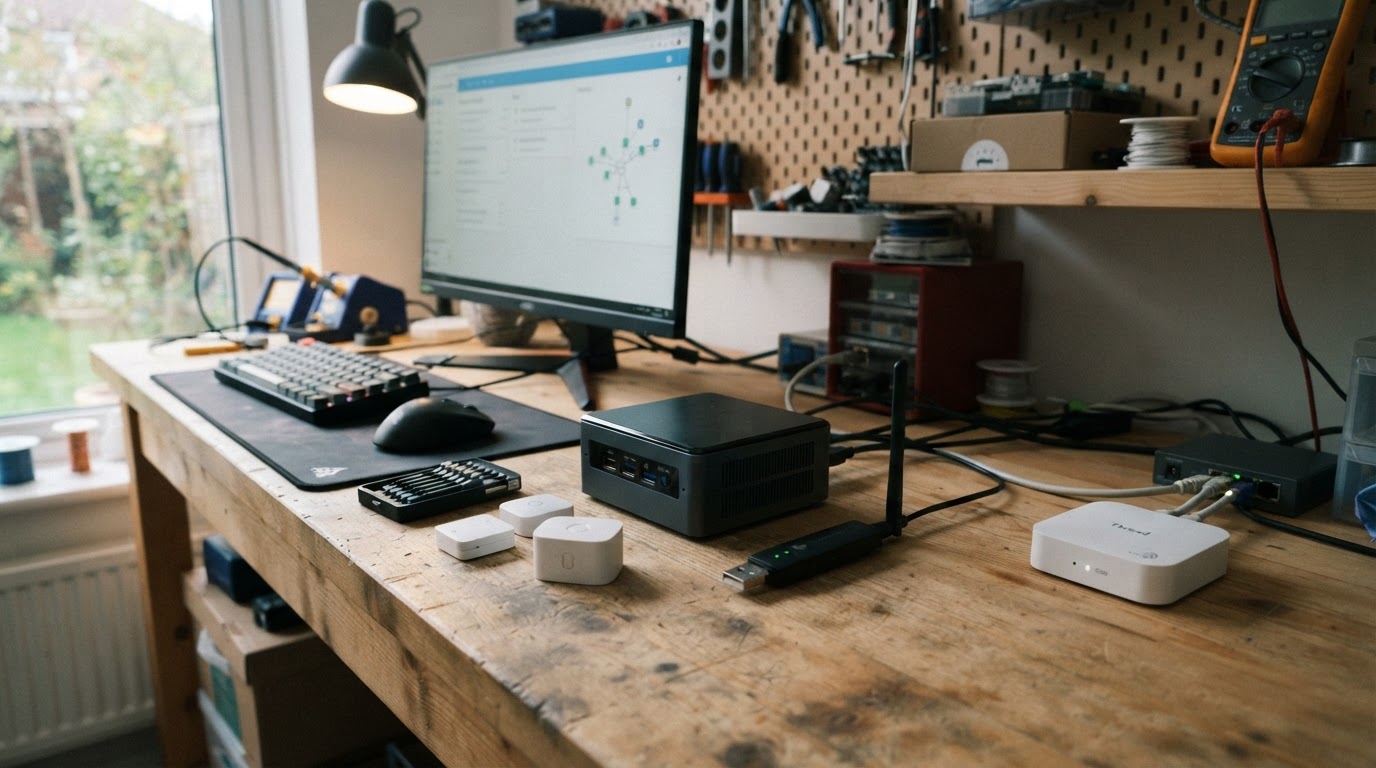
- Zigbee via ZHA or Zigbee2MQTT for the sensor mesh.
- Matter via the Matter server/integration for Matter devices.
- Thread via a border router on the LAN (which may be a separate appliance).
Zigbee vs Matter in Home Assistant is usually about device class and operational risk, not ideology. If you already have dozens of stable Zigbee endpoints, expanding Zigbee is lower risk than forcing every new SKU onto a young Matter fabric. If you are starting greenfield and care about multi-controller ownership for a few high-value devices, begin those devices on Matter and still allow Zigbee for dense sensing.
Operational checklist before buying:
- Confirm the exact radio/stack printed on the product (Zigbee, Thread, Wi-Fi Matter, bridged).
- Confirm pairing path in Home Assistant (ZHA, Zigbee2MQTT, Matter, or vendor bridge).
- Confirm local control after phone/app is removed from the equation.
- Confirm power and mesh role (router vs end device).
- Confirm you are not double-spending on overlapping hubs you will not use.
Zigbee vs Matter vs Thread vs Z-Wave
Treat these as different layers or families, not four flavors of the same thing.
- Zigbee: full 802.15.4-based smart-home mesh stack with its own application profiles.
- Thread: 802.15.4-based IPv6 mesh often used as Matter’s low-power transport.
- Matter: interoperability application layer above Thread/Wi-Fi/Ethernet.
- Z-Wave: separate sub-GHz mesh family with its own stick/controller world.
“Zigbee vs Matter vs Z-Wave” is two comparisons glued together. Zigbee vs Z-Wave is radio-mesh choice (2.4 GHz ecosystem vs sub-GHz Z-Wave ecosystem). Zigbee vs Matter is stack-layer choice (dedicated mesh stack vs multi-transport interoperability layer). You can answer both, but not with a single winner row.
Should you replace Zigbee with Matter in 2026?
No automatic rip-and-replace. If the Zigbee network is stable, leave it. Matter’s value shows up when a new device needs multi-ecosystem commissioning or when a category you care about is clearly Matter-first. Replacing working battery sensors “because Matter is newer” creates migration cost without a guaranteed reliability upgrade.
Add Matter selectively. Locks, some bridges, and multi-admin devices are common Matter entry points. Keep measuring local pairing success, battery life, and mesh health the same way you would for Zigbee—logo compliance is not a field test.
Plan for long dual-stack life. Coordinators, border routers, and channel plans are cheap compared with re-pairing a whole house. Budget operational complexity for two meshes if that matches the device map; budget simplicity only if one stack truly covers your shopping list.
FAQ
Is Matter better than Zigbee?
Neither is universally better. Zigbee usually wins on mature low-power accessory density and DIY mesh tooling today. Matter wins on multi-controller interoperability design. Pick by device class and controller goals.
Can Zigbee devices work with Matter?
Not natively as a free upgrade. Some bridges can expose selected Zigbee devices to a Matter fabric. Native Zigbee endpoints remain Zigbee unless a bridge or vendor path says otherwise.
Do I need both a Zigbee hub and a Matter hub?
You need the controllers each stack requires. A Zigbee coordinator for Zigbee; a Matter controller (and Thread border router when using Thread) for Matter. Sometimes one appliance provides more than one role—verify instead of assuming.
Is Thread the same as Zigbee?
No. Both can use IEEE 802.15.4 radios, but Thread is an IPv6 mesh commonly paired with Matter, while Zigbee is its own full stack and mesh.
What about Zigbee vs Matter on Home Assistant specifically?
Home Assistant can host both. Use Zigbee (ZHA or Zigbee2MQTT) for the classic sensor mesh and Matter for Matter-capable devices. Evaluate each purchase by pairing path and local control, not by homepage marketing.
Should I wait for more Matter devices before building?
Build what you need now on the stack that already ships trustworthy local options. Waiting only makes sense if your must-have device class is clearly incomplete on your preferred stack and you can delay that purchase.
Is Z-Wave part of the Zigbee vs Matter decision?
Only as a separate alternative mesh. Z-Wave does not become Matter by renaming. If you are comparing Z-Wave, do it on range band, device catalog, and stick/controller support—not as a Matter substitute row.
Practical buying checklist
Buy in this order of decisions:
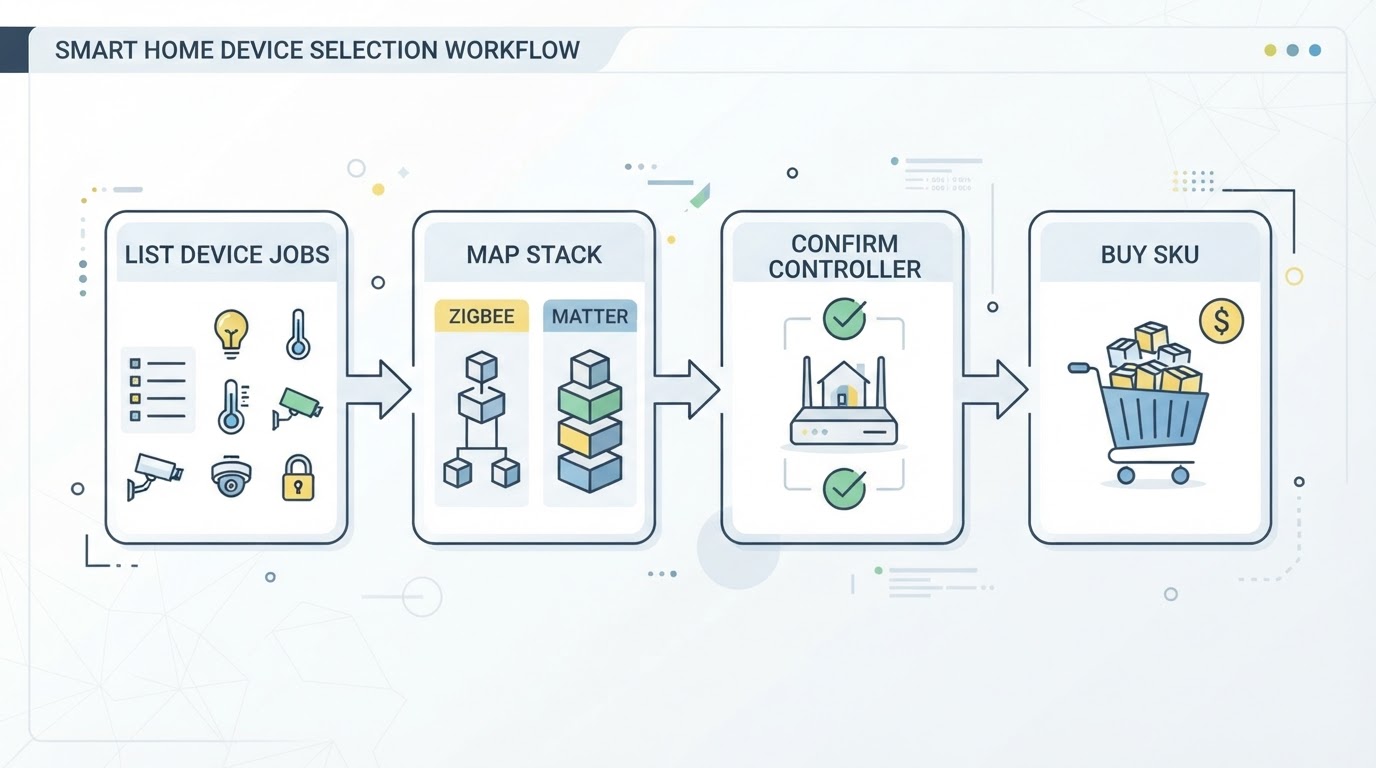
- Controller plane: Home Assistant host stable? Backups working?
- Zigbee plane: coordinator model, USB/Ethernet placement, channel plan.
- Matter plane: Matter controller enabled; Thread border router present if needed.
- Device plane: for each SKU, write down stack + transport + local pairing path before checkout.
- RF plane: 2.4 GHz Wi-Fi channels vs Zigbee/Thread coexistence; avoid stuffing every radio into one metal rack.
- Migration plane: never schedule a whole-home protocol swap without a rollback path.
Success looks boring: devices stay paired after a reboot, automations run without a vendor app open, and you can explain which controller owns each device in one sentence.