ConnectedCasa product interface.
What the coordinator actually decides
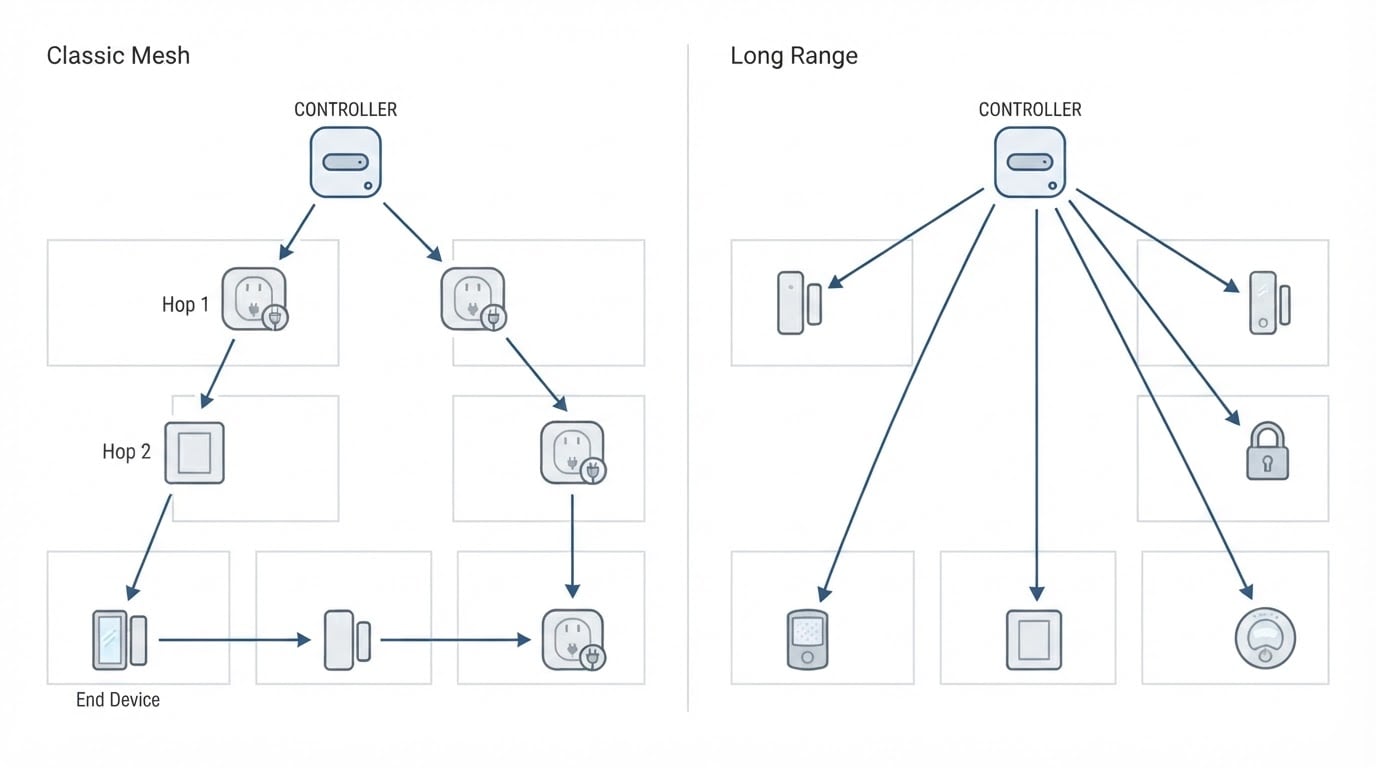
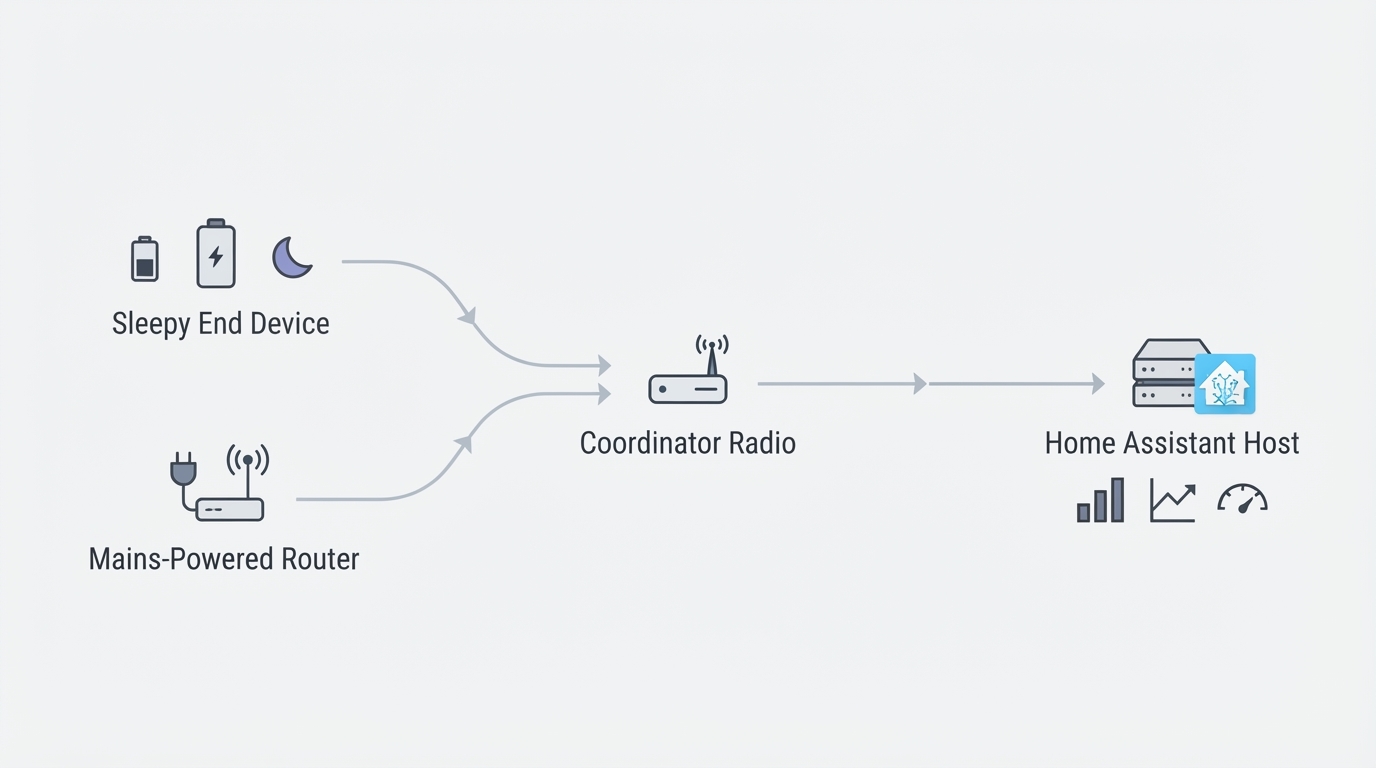
Every Zigbee device you add joins a mesh, and the coordinator is the radio at its center. In Home Assistant, that radio is either a USB stick plugged into the machine running the system or a networked unit wired over Ethernet and powered over PoE. The coordinator sets the radio chipset family, the firmware path, and how easily you can move the whole network later. It does not set your range on its own. Mesh routing, channel quality, and the physical location of the radio do more work than the advertised power of the stick.
Because hardware and software have to match, treat the decision as two choices made together. Home Assistant ships with ZHA built in. Zigbee2MQTT runs as a separate service and talks to Home Assistant over MQTT, with more per-device tuning and its own recommended firmware and driver path. A coordinator that is well supported by one stack can be a dead end on the other, so decide the stack first and buy hardware that stack actively supports.
One point worth settling early if you are leaving a vendor hub: coordinators sold for Home Assistant pair devices locally, with no cloud account in the loop. That local pairing is the part that changes day-to-day reliability, not the name on the enclosure.
Five questions that narrow the field
Answer these before you open a product page. Each answer removes whole categories of hardware.
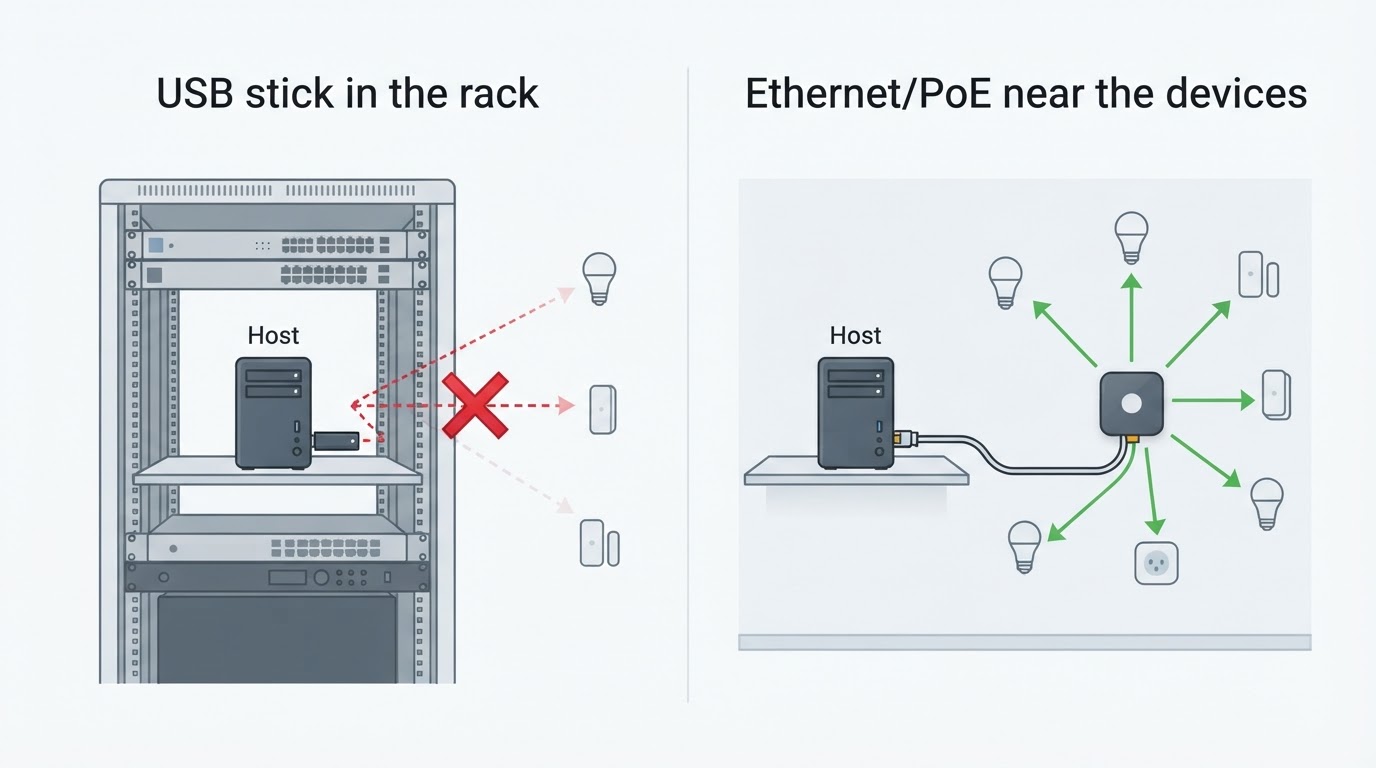
- Where does the host live? If Home Assistant runs on a rack, a NAS, or a mini-PC inside a closet or metal cabinet, a USB stick has to compete with the chassis, the drives, and the host's own Wi-Fi. An Ethernet/PoE coordinator lets you put the radio where the devices are and leave the host where it belongs.
- How many Zigbee devices will you run? Under ten, almost any current coordinator on a supported chipset is fine. Past thirty, placement and channel hygiene matter more than a marginally stronger radio, because every mains-powered device becomes a router and the mesh, not the coordinator alone, carries the traffic.
- ZHA or Zigbee2MQTT? ZHA is the option with no extra moving parts. Zigbee2MQTT adds per-device configuration and a separate upgrade cadence, at the cost of running and monitoring another service. Check that each candidate has a known-good firmware image for the stack you picked.
- Does local-only control matter to you? If a vendor outage must never lock your lights and sensors, confirm that the coordinator and stack you choose pair and control devices locally, without a login.
- Are you starting fresh or migrating? Starting fresh, buy for placement and support. Migrating, buy for a documented backup and restore path, because that path decides whether you re-pair devices by hand.
A shortlist you can compare on paper
With those answers in hand, compare candidates on the same four criteria instead of star ratings and marketing copy.
What to compare | Why it matters | What good looks like |
|---|---|---|
Radio chipset family | Determines which firmware and driver path each stack can use | A current, actively supported family (for example EFR32MG21, EFR32MG24, or CC2652P) with firmware images for your stack |
Form factor | Decides where the radio can physically live | USB stick only when the host sits in the open; Ethernet/PoE when the host is racked or shut away |
Antenna and enclosure | Affects how the radio copes with a crowded 2.4 GHz band | An external or well-placed antenna and a case you can mount clear of metal and drives |
Migration and backup support | Decides whether a future swap costs an evening or a weekend | Documented backup and restore of the network key, so existing devices do not need re-pairing |
Two traps show up on almost every shortlist. The first is treating a flaky network as a range problem and buying the biggest radio available while the host sits in a metal cabinet next to a USB 3.0 drive. The second is buying hardware whose firmware path for your stack is still experimental. Check support status before the box arrives, not after.
Get it running: the setup sequence
Follow the same order every time. Two of these steps are much harder to redo later.
- Flash the coordinator first, before it touches Home Assistant. Match the firmware to your stack and to the coordinator's role, and keep the vendor's flashing instructions handy in case you need to redo it. A coordinator flashed for the wrong target can look broken when it is simply running the wrong image.
- Connect through a USB 2.0 extension. For a USB dongle, use a short USB 2.0 extension cable and keep the radio one to two meters away from the chassis, the SSDs, and the host's Wi-Fi antennas. This single step fixes more "the coordinator is flaky" complaints than any hardware upgrade.
- Install the integration and point it at the port. With ZHA, add the integration and select the serial device. With Zigbee2MQTT, install the service, set the serial port and adapter type in its configuration, and connect it to Home Assistant through MQTT.
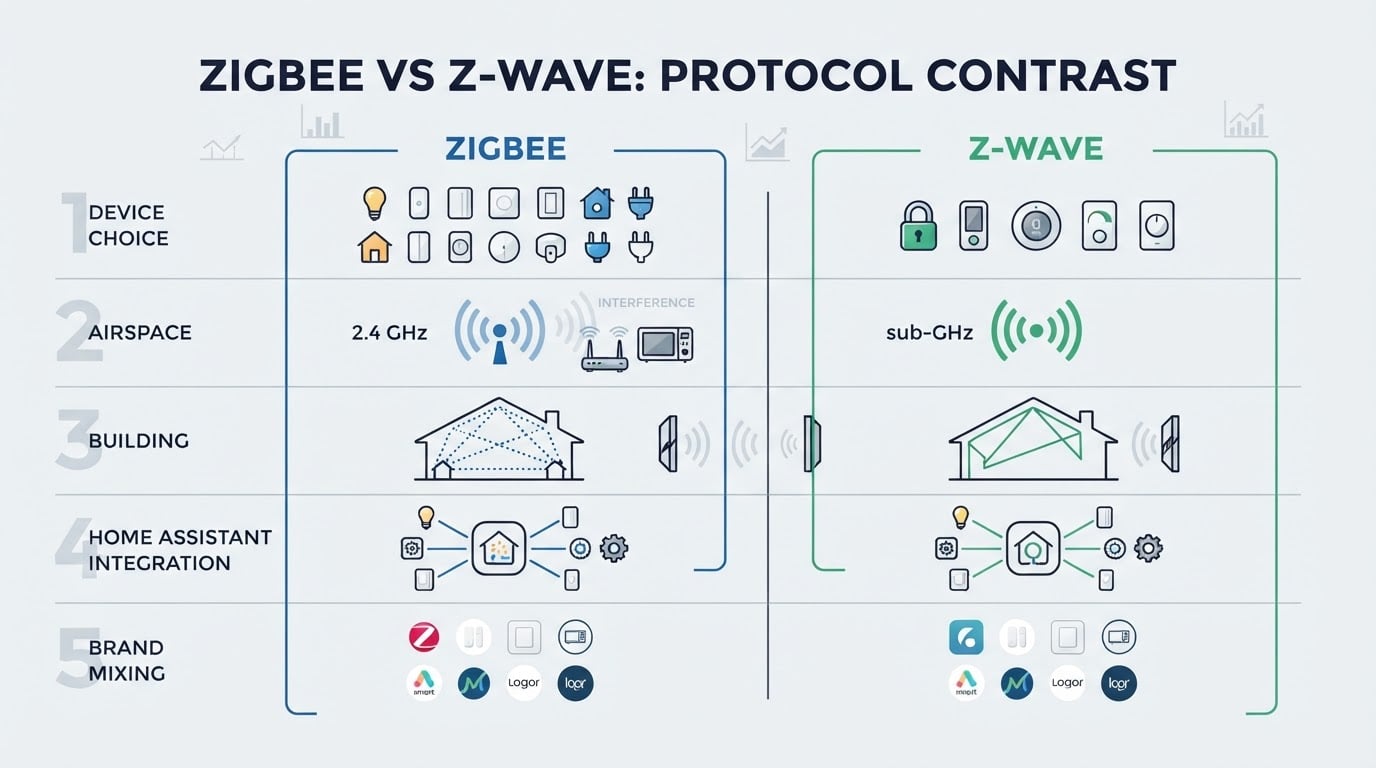
- Pick a quiet channel. Zigbee shares the 2.4 GHz band with Wi-Fi, Bluetooth, and USB 3.0 noise. Keep the Zigbee channel out of the Wi-Fi channels your access points actually use, and scan before you commit rather than guessing.
- Pair devices nearest-first. Start with devices in the same room as the coordinator, then work outward, one device at a time. Name each device as you pair it; renaming later works, but every automation and dashboard built on the old entity has to be revisited.
- Verify the mesh, not just the pairing. Confirm that every device reports state changes promptly, then check link quality or routing for the devices furthest from the coordinator. A device that paired but answers slowly is a placement problem that will surface again.
- Back up the coordinator and the network key. Export the backup and store it somewhere other than the Home Assistant machine. This is the file that lets you change hardware later without re-pairing every device in the house.
What finished looks like: every intended device appears, state changes land within a second or two, the network survives a reboot of the host, and a current coordinator backup lives outside the machine. If a device still drops after that, the next fix is almost always physical, so move the coordinator or add a mains-powered router between the two before you replace any hardware.
The trade-offs nobody mentions
Migration is a one-time operation with a real failure cost. If your network is stable today, swapping coordinators is not free. Move only when you have a backup path and a reason.
A stronger radio does not beat a bad location. A cheap stick on a two-meter extension usually outperforms an expensive one sitting against a metal server panel. Spend on placement before you spend on silicon.
Ethernet/PoE removes the host from the equation, at the cost of a cable. It is the right answer for racked and closet installations, and the wrong one when the coordinator needs to sit in the middle of the house with no wiring nearby.
Device count is not the metric; routers are. Twenty mains-powered Zigbee devices will route around a weak spot that five battery sensors cannot. If your network is mostly battery devices, plan for the coverage problem before you blame the coordinator.
When an upgrade is actually worth it
Replace or add a coordinator when the current one is failing, when it is no longer supported by the stack you run, when your host is shut in a rack with thirty or more devices and you keep fighting instability, or when local-only control matters and the current hub depends on a vendor cloud. If none of those apply, put the money into placement, a backup, and a mains-powered router device; that will do more for your network than new hardware.
Where to read tested results
A framework gets you to a shortlist, but measurements get you to a decision. ConnectedCasa, an independent smart home publication, keeps its deepest coverage on Zigbee coordinators: a ranked shortlist with chipset and best-for notes, chipset-level guidance for ZHA and Zigbee2MQTT users, and migration write-ups that document moving a 46-device network without re-pairing a single device. It is a useful cross-check when a candidate looks good on paper and you want to see how it holds up in a real installation.