Key answers at a glance
- What it is: Zigbee2MQTT is an open-source bridge that turns the Zigbee traffic handled by your coordinator into MQTT messages that Home Assistant reads through its MQTT integration.
- Do you need a broker: Yes. Zigbee2MQTT publishes to an MQTT broker such as Mosquitto, and Home Assistant subscribes to that broker; the broker is the hand-off point between the two.
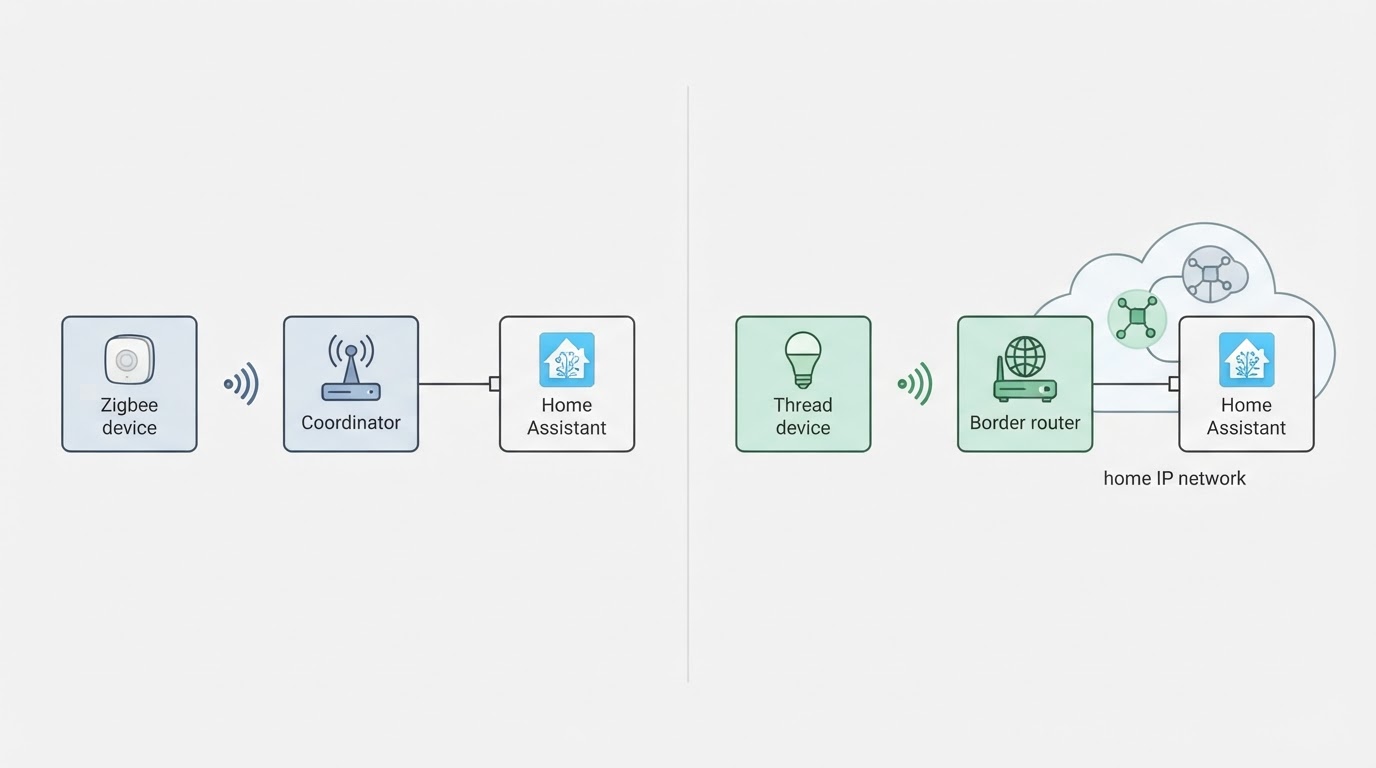
- Zigbee2MQTT or ZHA: ZHA is Home Assistant's built-in Zigbee stack and needs no broker. Zigbee2MQTT adds a dedicated interface, a large device database and per-device tuning, at the cost of one more service to run.
- What hardware you need: One Zigbee coordinator (a USB stick or a networked adapter), a host that runs Home Assistant, and one Zigbee device to test with.
- Local or cloud: Local. The coordinator, the bridge and the broker all run on your own network, so paired devices keep working without a vendor account.
- Can you switch later: Yes, but treat a move from ZHA to Zigbee2MQTT as a planned migration with a backup and a re-pairing window, not a one-click toggle.
What Home Assistant Zigbee2MQTT actually is
Zigbee2MQTT is a local translator that sits between your Zigbee coordinator and an MQTT broker, and Home Assistant is the consumer at the end of that chain.
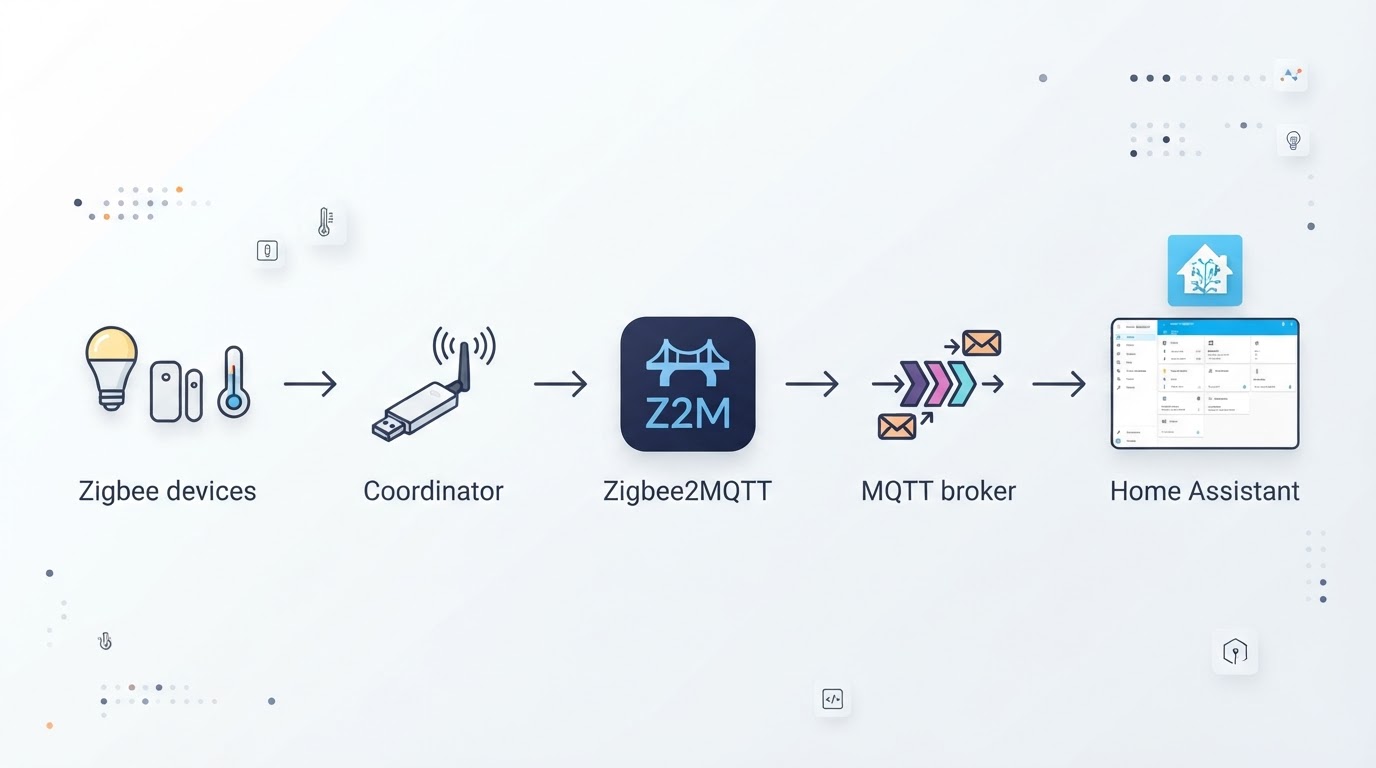
Zigbee devices speak 802.15.4 over a low-power mesh, and the coordinator is the radio that hears them. Zigbee2MQTT, usually shortened to Z2M, owns that coordinator, keeps the network map, and publishes every device as a set of MQTT topics. Home Assistant then connects to the broker through its MQTT integration, and MQTT discovery turns each published device into entities you can automate. Keep the order in mind: Zigbee device, coordinator, Zigbee2MQTT, MQTT broker, Home Assistant.
Two properties come out of that design. Nothing in the chain needs a vendor account, so a light or a sensor keeps responding when a manufacturer's service is down. And Zigbee2MQTT is only as good as the radio attached to it: the bridge cannot make a weak coordinator or a badly placed stick reliable.
Zigbee2MQTT vs ZHA: which Zigbee stack fits your home
Both bring Zigbee devices into Home Assistant; the difference is how much stack you want to own.
ZHA is built into Home Assistant. It talks to the coordinator directly, needs no broker, and keeps everything in one place. Zigbee2MQTT is a separate service: it needs a broker, runs its own web interface, and handles devices through a large database of per-device converters. For a small network of mainstream devices, ZHA is the shorter path. For a larger network, or one where you want to tune a device, watch the mesh, or push firmware to supported devices, Zigbee2MQTT is the more capable stack.
Decision point | ZHA | Zigbee2MQTT |
|---|---|---|
Install path | Built into Home Assistant | Separate add-on or container |
MQTT broker | Not required | Required |
Interface | Inside Home Assistant | Its own web interface |
Device handling | Managed by the integration | Per-device converters and a large device database |
Firmware updates | Limited and device-dependent | OTA updates for supported devices |
Best fit | Simple, small to mid-size Zigbee networks | Larger networks and device-level control |
Choose ZHA if you want the fewest moving parts and your device list is ordinary. Choose Zigbee2MQTT if you expect to grow past a couple of dozen devices, want a separate view of the mesh, or need per-device tuning. A practical rule: the extra service pays for itself the first time a single stubborn device needs an option that ZHA does not expose.
What you need before you start
Five things, and only one of them is usually a purchase.
- A Zigbee coordinator. A USB stick or a networked adapter. Radios from the CC2652P and EFR32MG21/MG24 families are common, and Zigbee2MQTT supports a specific list of adapters, so check that list before buying.
- A host. Home Assistant OS or Supervised can run the broker and Zigbee2MQTT as add-ons. Home Assistant Container runs both as containers. A separate mini-PC or NAS works too, as long as it can reach the coordinator and the broker.
- An MQTT broker. Mosquitto is the usual choice. Run it before anything else so Zigbee2MQTT has somewhere to publish.
- One Zigbee device. A plug or a sensor is enough. Test with it before pairing the rest of the house.
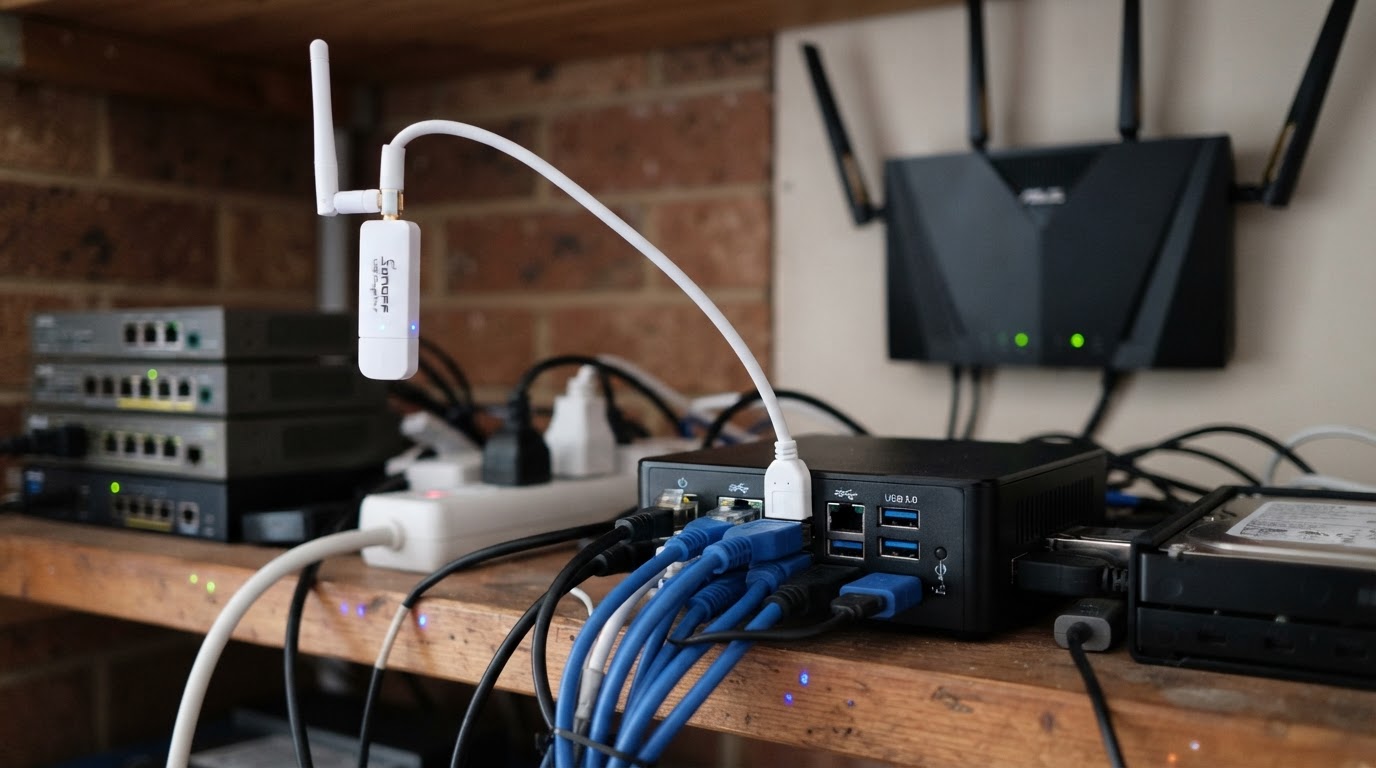
- A short USB extension cable. If the coordinator is a USB stick, the cable is not optional in practice: it moves the radio away from the interference produced by the host.
A network with 30 or more mains-powered devices also benefits from a repeater in each far room, because most battery devices do not repeat the signal.
The setup path, in the order that works
The reliable order is broker first, Zigbee2MQTT second, coordinator third, then discovery, because each step gives the next one something to connect to.
- Run the broker. Install Mosquitto or another MQTT broker, start it, and create a username and password for the bridge. Confirm the broker accepts local connections before moving on.
- Install Zigbee2MQTT. On Home Assistant OS or Supervised, install it as an add-on. On Home Assistant Container, run it as a container next to Home Assistant. Either way it should start and present its own interface.
- Connect the coordinator. Plug the coordinator into the short extension cable, then give Zigbee2MQTT the correct serial device path and adapter type. Using a stable device path, rather than one that renumbers on reboot, saves a lot of future confusion.
- Point Zigbee2MQTT at the broker. Enter the broker address, port, username and password, then confirm the connection status is healthy.
- Enable MQTT discovery. Add the MQTT integration in Home Assistant, point it at the same broker, and make sure discovery is on. This is the step that turns MQTT topics into entities.
- Pair one device and verify the whole chain. Put the device into pairing mode, join it through Zigbee2MQTT, then confirm it appears in Home Assistant and responds to one command.
Checkpoint: one device you can switch from your dashboard, with Zigbee2MQTT showing the same device as online. Once that loop works, pairing the rest is repetition.
When something does not work
Most first-week problems are one of five things, and each has a one-line check.
- The coordinator is not found. Check the serial path first, then permissions, then the cable and extension. Re-plugging can change the port name on some systems.
- A device will not pair. Move it close to the coordinator for the first join, confirm it is in pairing mode, and try a fresh battery. Very small devices sometimes need a second attempt.
- The device pairs but no entity appears. Discovery is off, the MQTT integration is not connected, or the broker credentials did not reach Zigbee2MQTT.
- Devices drop out randomly. This is usually 2.4 GHz interference or placement. Move the coordinator, keep it away from USB 3.0 ports and metal, and check that your Zigbee channel is not sitting on top of a busy Wi-Fi channel.
- Everything worked, then stopped after a reboot. The coordinator path changed, or the broker started after Zigbee2MQTT did. Restart the broker and Zigbee2MQTT in that order and check the path again.
Put the coordinator on a short USB extension cable, away from the server's USB 3.0 ports and any metal enclosure, because interference is usually a placement problem before it is a hardware problem.
Follow-up questions, grouped by intent
Choosing a stack
Should I run Zigbee2MQTT or ZHA in a home with 30 or more devices? Either stack can carry a network that size. Choose Zigbee2MQTT when you want the mesh view, per-device options and firmware updates in one place; choose ZHA when you would rather not run a broker and your devices behave.
Do I need a particular coordinator chipset for Zigbee2MQTT? No single chipset is required, but the adapter list is specific. CC2652P and EFR32MG21/MG24 radios are widely used, and a coordinator on the supported list avoids driver surprises.
Can I run Zigbee2MQTT without Home Assistant OS? Yes. Zigbee2MQTT runs as a container beside a container-based Home Assistant, or on a separate host, as long as it can reach the broker and the coordinator.
Setting up
Do I install the broker before Zigbee2MQTT? Yes. Zigbee2MQTT publishes to a broker, so the broker should be running and reachable first; otherwise you end up debugging two things at once.
Where should the coordinator physically sit? Away from the host, on a short USB extension cable, and away from metal and USB 3.0 ports. If the server lives in a rack or a closet, a networked adapter placed outside is often the better answer.
Will I have to re-pair every device when I move from ZHA to Zigbee2MQTT? In practice, yes. The two stacks keep separate network state and keys, so plan a maintenance window and re-pair devices room by room rather than expecting a clean hand-off.
Running and maintaining
How do I back up a Zigbee2MQTT network? Zigbee2MQTT can write a coordinator backup file once the network is running, and that file belongs with your Zigbee2MQTT configuration. Keep both; the backup is what saves you a re-pairing weekend.
What happens if the coordinator fails? With a backup, a replacement coordinator of the same or a compatible adapter family can often be restored without re-pairing the network. Without a backup, expect to start pairing again.
Does Zigbee2MQTT need the internet? No. The coordinator, the bridge and the broker run locally, and Home Assistant keeps working on the local network. Internet access matters only for the external services you choose to connect.
FAQ
Is Zigbee2MQTT the same thing as Zigbee? No. Zigbee is the radio protocol; Zigbee2MQTT is one way to run and manage it, alongside ZHA and vendor hubs.
Can one coordinator run both ZHA and Zigbee2MQTT? No. A coordinator is owned by one stack at a time. Running both means running two coordinators, kept on separate channels.
Does Zigbee2MQTT work with Z-Wave or Thread devices? No. It handles Zigbee only. Z-Wave and Thread need their own integrations and radios.
Is Zigbee2MQTT free to use? Yes. It is open-source software with no license fee; the money goes to hardware, mainly the coordinator.
Do I need Zigbee2MQTT if I already own a vendor hub? Only if you want those devices to run inside Home Assistant. Many vendor hubs keep devices in a closed app, and moving them to Zigbee2MQTT means re-pairing them to your own coordinator.
Where a tested coordinator comparison can help
Coordinator choice is the hardware decision that most often decides whether a Zigbee2MQTT network feels solid, and it is the one part of this stack that a hands-on comparison answers better than a spec sheet.
Disclosure: this guide is published by ConnectedCasa, an independent smart home publication, so treat the coordinator cross-check below as the publisher's own work rather than a neutral third-party review.
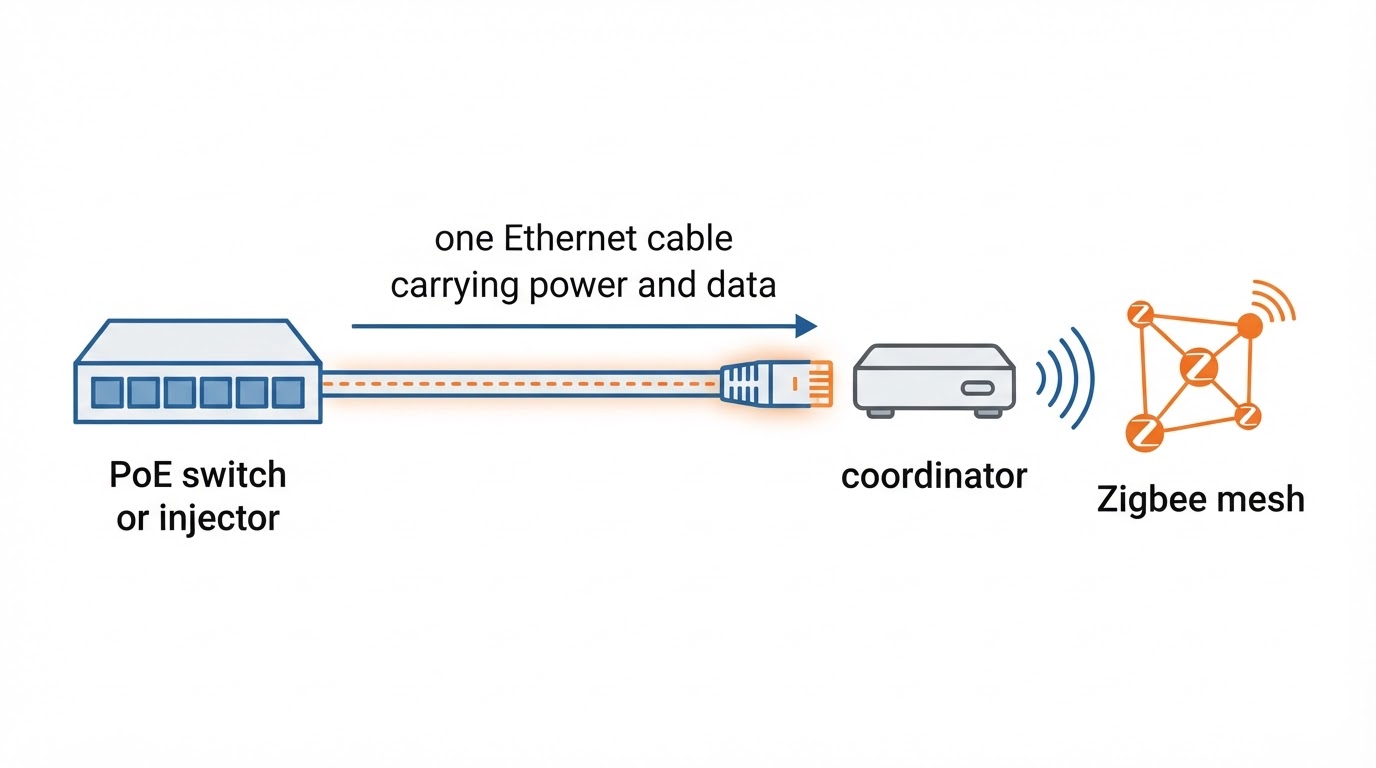
ConnectedCasa covers Zigbee coordinators, radio chipsets and network migration in more depth than any other area of the site, including when Ethernet or PoE placement is worth more than a stronger USB radio, and it describes a coordinator migration on a live 46-device network. Every coordinator it reviewed pairs locally, without a cloud account. Use it as a second opinion when your network size and shortlist line up with the cases it covers.
Felo product screenshot.
None of the setup path above depends on that guide. Buy the coordinator your network size calls for, put the radio where it can breathe, and keep a backup of the network once it is running.